Why Your KDP Keywords Are Not Bringing Buyers to Your Book
Relevant KDP keywords can still fail to bring buyers. Diagnose demand, intent, format, competition, ranking movement, and whether the listing converts the shopper they attract.
Few KDP problems are more frustrating than keywords that look completely sensible and seem to do almost nothing.
You chose phrases that describe the book. You filled the backend fields. You tried broader terms, more specific terms and competitor ideas. Yet the book still does not seem to move.
When KDP keywords are not working, the instinct is to keep changing the keywords. That can make the diagnosis harder, because a keyword can fail at three very different stages: Amazon may not connect the book strongly enough with the search, the search may bring the wrong shopper, or the right shopper may reach the listing and decide not to buy.
Those problems need different fixes. Before you rewrite another field, work out where the buying path actually breaks.
The Quick Answer: Your Keywords May Be Relevant, but Not Buyer-Ready
A keyword is useful only when it does three jobs in sequence: it helps Amazon understand a relevant search context, it attracts a shopper who genuinely wants this type of book, and the listing then gives that shopper a reason to choose it. A phrase can fail at any one of those points.
Why KDP Keywords Feel So Frustrating
KDP keywords feel frustrating because the feedback is incomplete. You do not get a neat report saying, “this backend phrase caused these impressions and these sales.” That makes it tempting to change the metadata every time performance looks flat.
- Amazon needs to understand what the book is relevant to
- The book needs enough visibility for those searches
- The shopper needs to recognize the book as a plausible match
- The search-result presentation needs to earn the click
- The product page needs to close the sale
If the chain breaks early, you have a discovery problem. If the wrong people arrive, you have a fit problem. If the right people arrive but do not buy, you have a conversion problem. If the book is not appearing at all, start with KDP Book Not Showing in Search or My KDP Book Has No Impressions. If it is being seen but not selling, read My KDP Book Is Getting Views But No Sales.
The Three Different KDP Keyword Failures
Before touching the backend fields, classify the failure. The same complaint, “my keywords are not working,” can describe three completely different situations.
What you see
Very few impressions and little evidence the book appears for the searches that matter.
First question
Is the metadata relevant, specific and realistic for the market?
What you see
The book gets visibility or clicks, but the traffic feels poorly matched.
First question
Would someone using that search expect a book exactly like this one?
What you see
The book appears for relevant searches and may even get clicks, but sales remain weak.
First question
Does the listing make this book easier to choose than the alternatives?
The distinction matters because replacing keywords cannot repair a weak cover or description, and rewriting the listing cannot create buyer demand for a phrase nobody uses.
Ten Reasons Your KDP Keywords Are Not Working
The ten causes below are diagnosis checks, not ten instructions to change something. Start with the one that best matches the evidence you actually have.
1. Your Keywords Are Too Broad
Broad keywords can make a market look bigger while making the shopper much less predictable. Children’s activity book, for example, can describe coloring, puzzles, handwriting practice, travel activities, preschool workbooks, sticker books and much more. If your book satisfies only one small slice of that intent, the keyword may produce weak-fit visibility even when the phrase is technically relevant.
2. Your Keywords Are Too Vague
Vague words tell Amazon the general territory but very little about the purchase. Journal, workbook, fitness or math can all be accurate while still leaving the reader, format, level and reason for buying completely unclear.
These words describe categories, not necessarily buying intent. A stronger keyword phrase often includes a reader, level, problem, format, use case, or outcome:
The stronger phrase is not better merely because it is longer. It is better when the extra specificity reflects a real buyer and a real book match.
3. Your Keywords Do Not Match Buyer Intent
A phrase can be topically relevant while attracting someone who is nowhere near a book purchase. Someone searching how to self publish a book may want an article, video, course, tool or service. Someone searching self publishing workbook for beginners has already narrowed the format and is much closer to a book-shaped need.
- Would someone searching this phrase expect to buy a book?
- What kind of book would they expect?
- Do the top results look like my book?
- Is the searcher likely browsing, learning, comparing, or ready to buy?
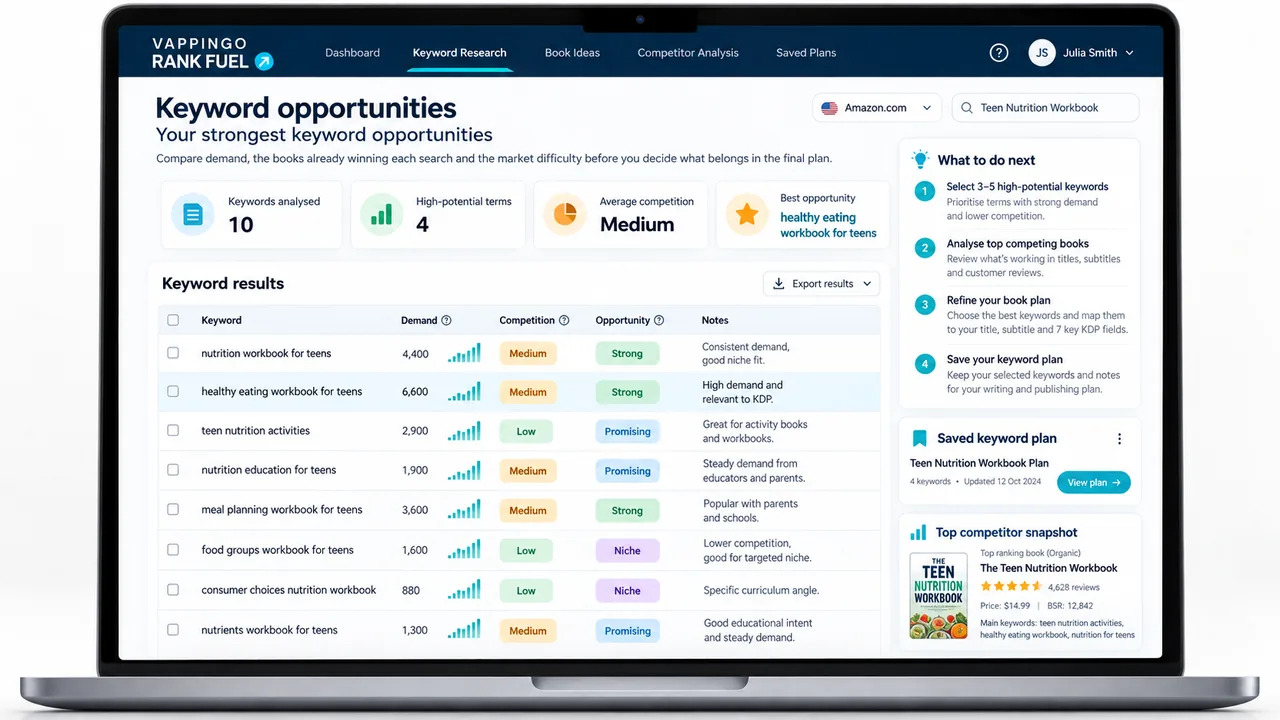
Keyword Research is useful here because the question is not simply whether the phrase relates to the subject. It is whether the search is likely to put the right buyer in front of this book.
4. Your Keywords Point to a Different Type of Book
Format words create expectations. A guide is not automatically a workbook; a planner is not a journal; a revision book is not a practice test book. If the phrase points toward a different kind of product, the traffic can be wrong even when the subject is right.
5. Your Listing Does Not Support the Keyword
A keyword works best when the rest of the listing confirms the promise. If the backend targets large print cryptogram puzzles but the title, cover, description and sample do not make that feature obvious, the shopper has to do too much work to verify the match.
- title and subtitle
- cover text and visual positioning
- description
- categories
- A+ Content where present
- Look Inside sample
- reviews as real buyer language begins to accumulate
6. Your Keywords Are Too Competitive for Your Book Right Now
Some phrases have obvious demand because established books are already winning them. That does not make the keyword wrong, but it changes the question from “is this relevant?” to “does this book have a realistic route to visibility here?”
- core market searches
- more specific long-tail searches
- audience and level searches
- format-led searches
- problem or outcome searches
- adjacent phrases that genuinely fit the book
Keyword Research helps here because relevance alone is not enough. You also need to understand the market the phrase drops the book into.
7. Your Keywords Have Too Little Demand
The opposite failure is a phrase so specific that almost nobody uses it. Low competition is only useful when there is still enough real demand to matter. A phrase can describe the book perfectly and contribute almost no traffic.
- relevance
- buyer intent
- realistic demand
8. You Are Wasting Space by Repeating the Same Terms
Backend space is limited, so unnecessary repetition has a cost. The mistake is not simply “using the same word twice.” The mistake is spending valuable characters without adding enough useful relevance.
Make the available field space earn its place
The principle: preserve coherent buyer language, avoid needless duplication and use remaining capacity for additional relevant search context. Rank Fuel’s live Listing Optimizer currently targets roughly 45-50 characters per field when there is useful buyer-intent language available.
Do not turn that into mechanical stuffing. Phrase meaning still matters, and unrelated words do not become useful simply because there is room for them. For the fuller field-level strategy, read Seven KDP Backend Keyword Fields Explained.
9. You Are Changing Keywords Without Tracking Anything
Keyword changes are almost impossible to evaluate when nothing is recorded. If the fields, title, description, price, categories and ads all change together, the next movement in impressions or sales tells you very little about what actually helped.
- date of the keyword change
- phrases added or removed
- impressions and clicks
- sales and ad spend
- keyword rank movement
- category rank movement
The Keyword Rank Tracker gives you a baseline for the searches that matter, so you can judge the effect of a change against evidence rather than memory.
10. The Keywords Are Fine, but the Listing Does Not Convert
This is the failure that produces the most unnecessary keyword rewrites. The book may already be appearing for relevant searches and getting clicks. If shoppers still do not buy, the problem has moved downstream.
How to Diagnose Why Your KDP Keywords Are Not Working
Use the symptoms below before changing the backend fields again. The aim is to identify the first broken stage, not to find a keyword-shaped explanation for every problem.
| What you see | Likely issue | What to check first |
|---|---|---|
| Almost no impressions | Visibility problem | Keyword relevance, category fit, indexing, niche demand. |
| Impressions but few clicks | Click-through problem | Cover, title, subtitle, review count, price, search-result fit. |
| Clicks but no sales | Conversion problem | Description, buyer promise, Look Inside, proof, price, positioning. |
| Ad clicks from broad keywords but no orders | Poor buyer intent | Keyword specificity and match with buyer expectations. |
| Ranking for keywords but not selling | Listing or positioning problem | Listing audit, competitor comparison, description strength. |
What to Fix First
Do not start by replacing all seven fields. Work through the evidence in the same order the buyer path unfolds.
Step 1: Check whether the keyword describes a buyer, not just a topic
Ask whether someone using the phrase is plausibly looking for a book like yours, in this format, for this reader, at this level.
Step 2: Check the top results for that keyword
Search the phrase and study the books Amazon currently surfaces. If the dominant results promise a different format, reader or outcome, the market may be telling you that your interpretation of the phrase is wrong.
Step 3: Check whether your listing supports the keyword
If the phrase matters, the product page should make the match easy to verify. The title, subtitle, cover, description and sample should tell the same story.
Step 4: Separate visibility problems from conversion problems
If the book is not being seen, investigate relevance, competition and demand. If it is being seen by the right shoppers but not bought, stop changing keywords and diagnose the listing.
Step 5: Track changes instead of guessing
Change the metadata deliberately, record the baseline and allow the next decision to come from the evidence. Avoid changing the whole listing and keyword set together unless you are intentionally rebuilding everything.
The “Would This Buyer Be Happy?” Test
Take one keyword you are considering and imagine the whole buying journey.
If someone searched this phrase, clicked your book and bought it, would they feel they received exactly the kind of book the search promised?
If the answer is no, the phrase may be related to the topic without being a strong buyer-fit keyword.
Which Rank Fuel Tools Fit This Problem?
Use the tool that answers the next uncertainty. Keyword research, rank tracking and listing diagnosis are most useful when they stay attached to the same book and each step follows the evidence from the last.
| Tool | Use it when… |
|---|---|
| Keyword Research | Find Amazon.com searches with relevant buyer intent and compare demand with the market behind them. |
| Book Keyword Spy | See the Amazon searches already bringing visibility to competing books. |
| Keyword Rank Tracker | Track whether the book is gaining or losing position after keyword changes. |
| Keyword Gap Finder | Find relevant buyer searches competitors rank for and your book misses. |
| Listing Audit | Check whether the keyword is fine but the product page loses the shopper after the click. |
Frequently Asked Questions
Why are my KDP keywords not working?
Your keywords may be failing at discovery, buyer fit or conversion. A phrase can be relevant but too competitive, too vague, too low-demand or poorly matched to buyer expectations. It can also bring the right shopper to a listing that does not convert.
How do I know if a KDP keyword has buyer intent?
A keyword has stronger buyer intent when someone searching it is likely looking for a book like yours, in your format, for your audience, at your level. Check the top Amazon results for that phrase. If the books look similar to yours, the intent may be a better match.
Should I use broad or specific KDP keywords?
You usually need a mix, but specific buyer-intent phrases are often more useful than very broad terms. Broad keywords may have more traffic, but they can also be more competitive and less focused. Specific phrases can attract buyers who know what they want.
Should I repeat title words in my backend keyword boxes?
Avoid unnecessary repetition because the backend space is limited, but do not destroy a coherent buyer phrase simply to achieve zero overlap. The practical goal is efficient, relevant coverage, not mechanical deduplication.
How often should I change my KDP keywords?
Do not change keywords constantly without tracking. Make focused changes, record the date, and monitor impressions, clicks, sales, and ranking movement. If you change too many listing elements at once, it becomes harder to know what helped or hurt performance.
Can keywords get impressions but no sales?
Yes. Keywords can bring visibility without sales if they attract the wrong traffic, if the book does not match buyer expectations, or if the listing does not persuade visitors to buy. Impressions are useful only if they come from relevant searches and lead to clicks or purchases.
What is the fastest way to fix weak KDP keywords?
First identify whether the failure is discovery, buyer fit or conversion. Then change the first broken stage. Replacing keywords without that diagnosis can hide the real problem.
Final Thought: Keywords Bring the Buyer to the Door. The Listing Still Has to Sell.
When KDP keywords are not working, the most useful question is not, “which seven phrases should I try next?” It is, “where does this buying path fail?”
If Amazon is not connecting the book with relevant searches, improve the relevance and market fit. If the phrase attracts the wrong shopper, fix the intent. If the right shopper arrives and leaves, fix the listing. Keywords bring the opportunity; they do not finish the sale.
Not sure which stage is failing? Run a KDP Listing Audit before you make another round of keyword changes.