KDP Keyword Research Checklist: From Idea to Post-Launch Review
Use this KDP keyword research checklist to move from reader-language discovery to compliant field entry, launch baselines, and evidence-led post-launch review.
This is the practical companion article to the Cluster 3 keyword research series , a consolidated checklist of every action point across the full keyword preparation and maintenance process. Use it alongside our Work through the phases in order so research, selection, entry, and later maintenance stay separate rather than collapsing into one rushed upload task.
Amazon changes metadata, taxonomy, and merchandising systems. This article reflects the September 2026 workflow, but the live KDP interface and help pages remain the final authority.
Phase 1: Research Checklist
Complete this phase before opening KDP. Keyword research done under the pressure of the publishing interface is keyword research done poorly.
- Identified your book’s primary genre, subgenre, setting, protagonist type, and tone
- Conducted Amazon autocomplete research on Amazon.com (and Amazon.co.uk if relevant) for your primary genre phrase and at least five variant starting phrases
- Used the alphabet technique on your most important base phrase to surface less obvious suggestions
- Studied the titles and subtitles of the top 10 bestsellers in your specific subcategory for keyword vocabulary
- Read the descriptions of the top 5 bestsellers for natural keyword language patterns
- Built a candidate keyword pool of at least 20-30 phrases
- For UK authors: conducted parallel research on Amazon.co.uk autocomplete
- For series books: noted the series name as a candidate keyword for books 2+
Phase 2: Selection Checklist
Filtering your research pool down to seven well-balanced phrases. Balance means covering the strongest accurate reader intents, not forcing a predetermined mix of broad and long-tail phrases.
- Filtered out any phrases that do not accurately describe your book (relevance filter)
- Filtered out any single-word or two-word generic phrases (specificity filter)
- Checked competition level for remaining candidates by searching each on Amazon
- Final seven phrases cover at least three different keyword categories (subgenre, setting, protagonist/trope, tone, audience)
- No two phrases are near-identical variations of the same term
- No phrase repeats language already in your title or subtitle
- No phrase repeats language already in your categories
- No prohibited terms present (competitor names, “bestseller,” Amazon programme names)
- All phrases are accurately relevant to your book
Phase 3: Entry Checklist
Entering your keyword phrases correctly in KDP’s keyword fields. Follow the current interface and prioritize accurate language over punctuation or character-count folklore.
- All seven fields completed
- Each field is as close to 50 characters as possible without exceeding
- Words separated by spaces only , no commas used as separators within fields
- No quotation marks around phrases
- No capitalisation inconsistencies that might affect indexing
- Character count verified for each field (KDP shows a counter)
Phase 4: Title and Subtitle Checklist
Your highest-weight keyword fields , often overlooked in keyword strategy. Do not treat title or subtitle as keyword containers; they must remain accurate book metadata and match the cover and manuscript.
- Primary keyword phrase present in title or subtitle
- Subtitle is specific , not generic (“A Novel”) but descriptive (“A Cotswolds Cozy Mystery , Book 1”)
- Series position included in subtitle if applicable
- Subtitle read aloud sounds natural , not like a keyword list
- No promotional language in title or subtitle (“bestselling,” “#1”)
- Title matches the title page inside the book exactly
- Keyword fields do not repeat title or subtitle terms
Phase 5: Description Checklist
Your description is sales copy, not an extra backend keyword field. That older assumption is no longer safe: KDP’s current description restrictions prohibit keyword or book-tag phrases, so the description should be written for shopper understanding and conversion.
- Description accurately describes the book using natural genre vocabulary
- At least five distinct keyword-relevant phrases appear naturally in the description
- No keyword stuffing , no phrase repeated artificially
- Description and backend keywords cover different phrases (no unnecessary overlap)
- HTML formatting applied: <p> tags, bold hook, lists where appropriate
- Description reviewed for conversion quality as well as keyword content
Post-Launch Maintenance Schedule
Timing Action 6 weeks post-launch First rank check , search for each of your 7 phrases manually. Note positions. 3 months post-launch First substantive review. Analyze ad Search Terms report if running ads. Replace 1-2 underperforming fields with better candidates from your research pool. Every 6 months Full competitive landscape review. Update keywords based on rank data, ad data, and competitor analysis. Seasonally Add seasonal keyword phrase to one rotating field 4-6 weeks before peak. Revert after peak. See our article on seasonal keywords . On category changes Review keyword fields to ensure no newly selected categories are duplicated in keywords. On series completion Add “complete series” variants to all books in the series.
Tools to Support Each Phase
All of these tools , from the free Category Finder to the PRO-tier and Earnings Outlook , are available at . Start with the free tools and the credit-based Listing Generator for your first book, then add the PRO intelligence suite as your catalog grows and keyword optimization becomes a more substantial part of your publishing workflow. The final item in any publication checklist is not metadata , it is manuscript quality. from Vappingo ensures that everything your keyword strategy is working to achieve , reader discovery, reader satisfaction, positive reviews, algorithmic momentum , is built on a book that deserves it.
Turn the Checklist Into a Change Log
A checklist becomes more valuable when it creates a baseline. Save the launch date, seven keyword fields, categories, title/subtitle state, price, major ad campaigns, and any other listing changes that could affect performance. When you review later, record exactly what you changed and why. This prevents post-launch optimization from becoming a sequence of simultaneous edits where a rise or fall in visibility cannot be traced to any decision.
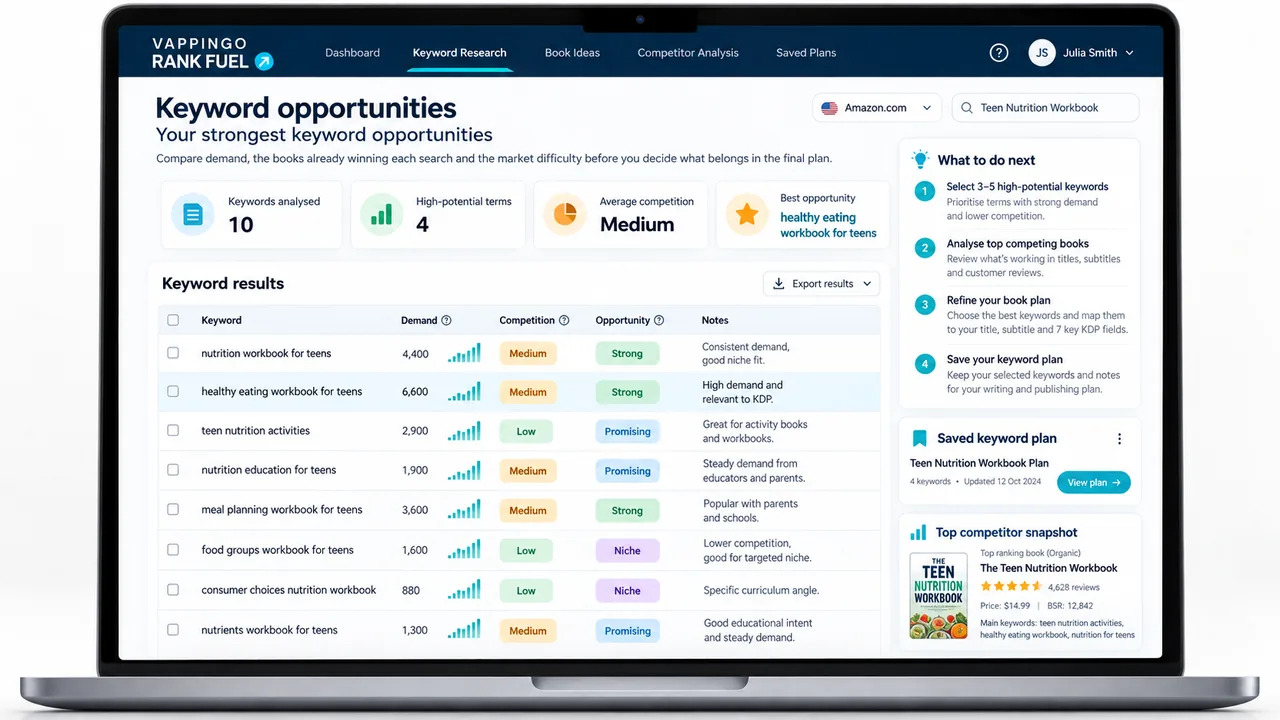
KDP Rank Fuel can support keyword, category, rank, and market research. Its scores and estimates are research aids; Amazon does not publish the proprietary formulas behind search placement or exact sales thresholds.
Metadata can help the right reader find a book, but the listing and manuscript still have to earn trust. Vappingo provides professional manuscript proofreading by qualified human editors.
Frequently Asked Questions
How many KDP keyword fields are there?
KDP currently provides up to seven keyword fields. Use them for relevant keywords or short phrases and avoid padding the set with duplicate or prohibited language just to fill space.
Should I repeat my title or categories in the keyword fields?
Usually no. KDP advises against repeating metadata already covered elsewhere. Use the limited keyword fields to add distinct reader search language.
How often should I change KDP keywords?
There is no required refresh schedule. Change them when research, positioning, marketplace behavior, or post-launch evidence gives you a clear reason, and keep a record of what changed.
Can I use competitor author names or book titles as keywords?
KDP warns against unauthorized references to other authors, books, or trademarked terms. Use compliant reader language and verify the current metadata rules before publishing.
Do KDP keywords guarantee a search ranking?
No. Keywords are metadata inputs, not guaranteed positions. Search visibility also depends on relevance, shopper behavior, competition, listing quality, and Amazon-controlled systems.
Make the Metadata Easier to Defend
The strongest KDP metadata strategy is easy to explain: every category accurately describes the book, every keyword represents a plausible reader search, every change has a reason, and no part of the plan depends on a retired support workflow or an undocumented ranking formula. That standard makes the listing safer, clearer, and easier to improve as Amazon changes.