How to Find Better KDP Keywords After Publishing Your Book
A book can stay live on Amazon for years while the search market around it changes.
A book can stay live on Amazon for years while the search market around it changes. New competitors arrive, reader language shifts, stronger listings appear, and a phrase that looked promising at launch may turn out to attract the wrong buyer or barely any useful visibility.
The obvious response is to replace the old keywords with a fresh set. That can be the wrong move. A published book is not starting from zero: it may already rank for searches that deserve protecting, even if the overall sales result is disappointing.
The safer approach is to treat keyword work as a controlled expansion problem. Find new opportunities from the market the book is competing in now, separate them from the search territory the book already owns, and change only what the evidence gives you a reason to change.
Can You Change KDP Keywords After Publishing?
Yes. Amazon KDP allows authors to edit keywords for a published title. Its current guidance says you can add or update keywords from the book details screen, and you can use up to seven keywords that relate to the content of the book. Amazon also says keywords should accurately represent the book and reflect language customers may use when they search.
That makes keywords different from fields such as the title, subtitle, and primary author name, which become much more restricted after publication. If the underlying book is still right but the search metadata is weak, backend keywords are one of the parts of the listing you can continue to refine.
Should You Replace Your KDP Keywords Just Because Sales Are Down?
No. Falling sales do not prove that the seven keyword fields are the problem. The book may have lost search visibility, but it may also be getting seen and losing the click, attracting clicks that do not convert, facing stronger competitors, sitting in a weaker category environment, or serving a market with less demand than before.
This distinction matters because a keyword rewrite only addresses one part of the sales chain. If buyers are already finding the book through useful searches but rejecting the cover, price, description, sample, or product promise, replacing the keywords can remove working visibility without fixing the real bottleneck.
If the broader decline is still unclear, start with Has Your Old KDP Book Stopped Selling? Here’s What to Fix First. Keyword research becomes much more useful once there is a reason to believe discoverability or search fit is part of the problem.
What Should You Record Before Changing KDP Keywords?
Before touching the keyword fields, capture the book’s current search footprint. The aim is to identify the terms that deserve protection before you go looking for new ones.
Build a before-change baseline
- Record the keywords the book currently ranks for and the positions that matter.
- Save the current seven keyword entries so you know exactly what changed later.
- Note which searches are clearly relevant to the intended reader, format, problem, or genre.
- Record recent sales, Best Sellers Rank, and any other performance measure you routinely use.
- Separate useful rankings from accidental or poorly matched visibility.
That produces two different types of keyword evidence. Protected terms are searches where the book already has useful, relevant visibility. Growth terms are new opportunities that may improve the book’s reach if they genuinely match what the reader will get.
This distinction is more useful than treating every existing keyword as old and every new keyword as better. A new phrase has to earn its place.
How Do You Find Better Keywords for an Existing KDP Book?
A published book gives you an advantage you did not have before launch: evidence. You can see which books occupy the same search territory, which searches those books reach, and where your own book is already visible.
Start with the competitors the book has now
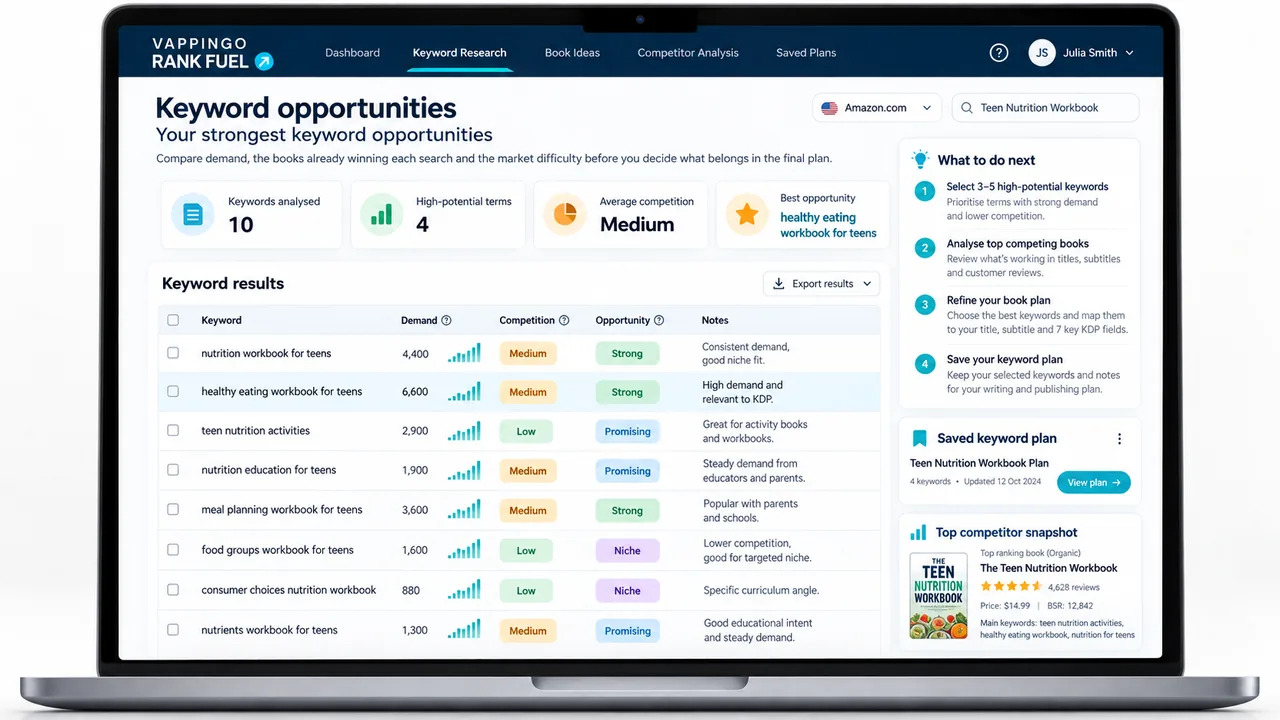
The books you researched before publication may no longer be the most useful comparison set. Start with the current market. Competitor Discovery begins with your own ASIN and identifies books with shared search visibility, giving you a more grounded set to investigate than a category page or a bestseller you happen to recognize.
Do not assume every returned book is a model to copy. A useful competitor is one that serves a similar reader, use case, format, or outcome closely enough for its search footprint to teach you something about your own.
Find the searches competitors reach that you do not
Once you have a relevant comparison book, the Keyword Gap Finder can show searches where that competitor has stronger visibility, where you are absent, and where both books rank but your position is weaker. That gives you a research list grounded in an actual market relationship rather than a brainstorm.
The gap itself is not the decision. A competitor can rank for terms that are wrong for your book, too broad for your audience, or tied to a feature you do not offer. Use the gap to find places worth investigating, then apply a relevance filter before you change anything.
Inspect strong competitors more deeply
A single gap comparison can miss adjacent search language. Book Keyword Spy lets you inspect search terms associated with a strong competitor’s Amazon visibility and compare the phrases that keep appearing across genuinely similar books.
This does not reveal another publisher’s private backend keyword boxes. It gives you observable search-visibility evidence. That difference matters because the useful lesson is not, “copy the competitor’s metadata.” It is, “what buyer language repeatedly appears around successful books that solve the same problem or serve the same reader?”
Separate the new opportunities from the territory you already own
| Bucket | What belongs here | What to do |
|---|---|---|
| Protect | Relevant searches where your book already holds useful visibility. | Keep these in the optimization brief so a new listing version does not ignore them. |
| Test | Relevant competitor gaps or adjacent searches supported by buyer intent and market evidence. | Shortlist the strongest opportunities for a selective keyword and listing update. |
| Reject | High-volume or impressive-looking terms that imply the wrong reader, format, outcome, age group, or subject. | Leave them out, even if a successful competitor ranks for them. |
For a deeper competitor-gap decision framework, see KDP Keyword Gap Finder: Find Relevant Searches Competitors Reach First.
Which New KDP Keywords Are Actually Worth Testing?
Estimated demand is useful, but it should not be the first filter. A large search is worthless to your book if the shopper meant something else.
Start with relevance and buyer intent. Does the phrase accurately describe the book? Would someone typing it be pleased to land on this product page? Does the phrase imply the same reader, format, difficulty, problem, genre, or outcome the book actually delivers?
Then look at the market around the term. Useful evidence can include the books currently visible, their relevance to the query, their review depth, pricing, sales strength, and whether multiple comparable books appear to be finding buyers. Search-volume estimates can help compare opportunities, but they are not sales forecasts and should not override a poor product-to-query fit.
A bigger keyword can still be the worse keyword
An anxiety workbook for teenagers may discover a large search around general anxiety treatment. The volume may look attractive, but if the visible results are clinical manuals for therapists and adult self-help books, the phrase is not automatically a better target. A smaller search such as a teen coping-skills workbook may bring fewer searches but a much closer buyer match.
The best new keyword is not the phrase with the highest number. It is a search the book can satisfy, in a market where gaining useful visibility is plausible.
Should You Change All Seven KDP Keyword Fields at Once?
Usually, no. Amazon allows you to edit the keyword entries, but it does not require you to replace all seven at the same time. If the book already has relevant rankings, a complete reset makes it harder to protect useful territory and harder to learn which part of the change helped or hurt.
A more controlled approach is to preserve the strongest existing signals and use the remaining capacity for the best evidence-backed opportunities. That might mean keeping most of the current coverage and changing only a few weak areas, or making a larger update when the existing search footprint is clearly poor.
There is no universal percentage to replace. The size of the change should reflect the diagnosis. If four parts of the existing keyword strategy are doing useful work, there is little reason to throw them away simply because three new ideas look promising.
How Do You Update KDP Keywords After Publishing?
Amazon’s current process is straightforward. From your KDP Bookshelf, open the action menu beside the book, choose Edit book details, make the changes under Keywords, then continue through the setup screens and publish the update from the Pricing page.
- Open the title in your KDP Bookshelf.
- Select Edit book details.
- Update the entries under the Keywords heading.
- Click Save and Continue.
- Continue to the Pricing page and click Publish.
Amazon reviews updated books again to check that they meet its content and metadata guidelines. Its current keyword rules prohibit misleading or unrelated terms and references such as other authors or other authors’ books. Accuracy still matters more than squeezing an attractive phrase into the metadata.
Amazon also advises against unnecessary duplication of information that is already covered elsewhere in the metadata. Use the keyword fields to expand relevant search coverage, not simply repeat the title in another place.
What Should You Monitor After the Keyword Change?
A keyword update becomes useful only when you can compare what happened afterward with what existed before. Start with the baseline you saved, then watch the search footprint rather than reacting to one day’s sales.
The Keyword Rank Tracker records the keywords your book ranks for and saves snapshots over time. That lets you see whether protected terms held, whether target terms appeared or improved, and whether any useful visibility disappeared after the change.
Do not expect one metric to prove causation. Rankings can move because of sales, conversion, reviews, competitor activity, promotions, listing changes, and Amazon’s own testing. The value of the baseline is that it turns “I think the keywords are better” into a more concrete before-and-after comparison.
Amazon publishes processing timelines for book updates, but it does not promise a fixed number of days in which an organic keyword ranking must improve. Wait until the update has processed, then judge the trend across repeat snapshots rather than repeatedly editing the listing because nothing moved immediately.
Worked Example: Refreshing the Keywords on an Older Book
Imagine a two-year-old anxiety workbook for teenagers. At launch, the author chose broad terms around teen anxiety, mental health, stress, and self-help. The book still makes occasional sales, but search visibility has weakened and newer workbooks are appearing more often.
The author starts by recording the current rankings. Two relevant searches still perform reasonably well, so they become protected terms. Several broader phrases either produce weak positions or lead to search results dominated by adult books and clinical material.
Competitor Discovery identifies a newer set of books aimed at teenage coping skills, school stress, and practical CBT-style activities. Keyword Gap Finder then surfaces searches where those books have stronger visibility. Some are rejected immediately because they imply therapy manuals, parent guides, or resources for professionals rather than a workbook for the teenager.
Book Keyword Spy adds a few more recurring phrases from strong, genuinely comparable books. One phrase around coping skills for teens appears repeatedly and fits the product closely. Another around school-anxiety activities looks promising because the workbook contains a substantial section on that exact problem.
Keep four useful signals. Test three stronger opportunities.
The author does not replace the whole keyword strategy. The two protected rankings stay in the brief, two other relevant existing areas remain because they still describe the book well, and three weak areas are replaced with evidence-backed searches that better match the current market.
The updated listing is then saved as a new version and tracked against the original baseline. The test is not whether the author feels more confident about the keywords. The test is whether the book begins gaining useful visibility for the searches that were deliberately added without losing the search territory that was worth keeping.
The Repeatable KDP Keyword Refresh Workflow
The process is simple enough to reuse across a backlist. Diagnose before changing anything, save the current search footprint, identify today’s real competitors, find the missing search opportunities, inspect strong books for additional buyer language, and reject anything that does not accurately match the product.
Then split the evidence into two lists: what the book should protect and what it should test. Use those lists to guide a selective listing update, publish the change through KDP, and monitor the result against the baseline.
The short version
- Baseline: record the useful rankings the book has now.
- Competitors: identify books occupying the same current search territory.
- Gaps: find relevant searches those books reach more strongly.
- Expand: inspect strong competitors for additional buyer language.
- Filter: reject terms that do not match the book’s reader and promise.
- Protect and test: preserve useful territory and add only the strongest new opportunities.
- Measure: track the search footprint after Amazon processes the update.
If the book is already selling consistently and you are unsure whether changing the keywords is worth the risk at all, that is a different decision. The next question is not how to find new terms, but whether the evidence is strong enough to justify intervening in a listing that already works.
Which Rank Fuel Solutions Fit This Workflow?
Use each part of the workflow for a specific uncertainty. The purpose is not to run every tool. It is to reduce the uncertainty that is blocking the next sensible decision.
| Solution | Use it when |
|---|---|
| Competitor Discovery | You need to know which books currently share meaningful search territory with your live ASIN. |
| Keyword Gap Finder | You have a relevant competitor and want to find searches where they are stronger, you are absent, or you are close enough to improve. |
| Book Keyword Spy | You want to investigate the wider search footprint around a strong comparison book without pretending you can see its private backend metadata. |
| Listing Optimizer | You know which searches to protect and which new terms to target, and you need to turn that research into an improved existing listing. |
| Keyword Rank Tracker | You need a before-and-after record showing which searches climbed, held, slipped, appeared, or disappeared. |
Frequently Asked Questions
Can I change KDP keywords after my book is published?
Yes. Amazon KDP allows you to edit the keyword entries for a published title from the book details screen. You then save the changes and republish the update through KDP.
How often can I change my KDP keywords?
Amazon’s current keyword guidance says you can change keywords and descriptions as often as you like. That does not mean frequent changes are strategically useful. If you keep editing before you have enough evidence to compare the results, it becomes harder to learn what helped.
Should I replace all seven KDP keyword entries?
Not automatically. If some of the current search territory is relevant and useful, preserve it. Replace weak or poorly matched coverage when you have stronger evidence-backed alternatives rather than treating all existing keywords as disposable.
Can I use a competitor’s author name or book title as a KDP keyword?
Amazon’s metadata guidelines prohibit references to other authors and books by other authors in keywords. Competitor research should help you understand reader language and search territory, not give you names or titles to copy into your metadata.
Should I repeat words from my title in the backend keyword fields?
Amazon advises against unnecessary repetition of information already covered elsewhere in the metadata. Use the keyword entries to add accurate, relevant search coverage rather than simply duplicating the title. Preserve a natural phrase when the phrase itself matters, but avoid repetition that adds no useful coverage.
How long does it take for new KDP keywords to affect rankings?
Amazon publishes processing timelines for changes to published books, but it does not promise a fixed time in which an organic search ranking must improve after a keyword update. Wait for the metadata update to process, then compare ranking snapshots over time instead of judging the change from the same day.