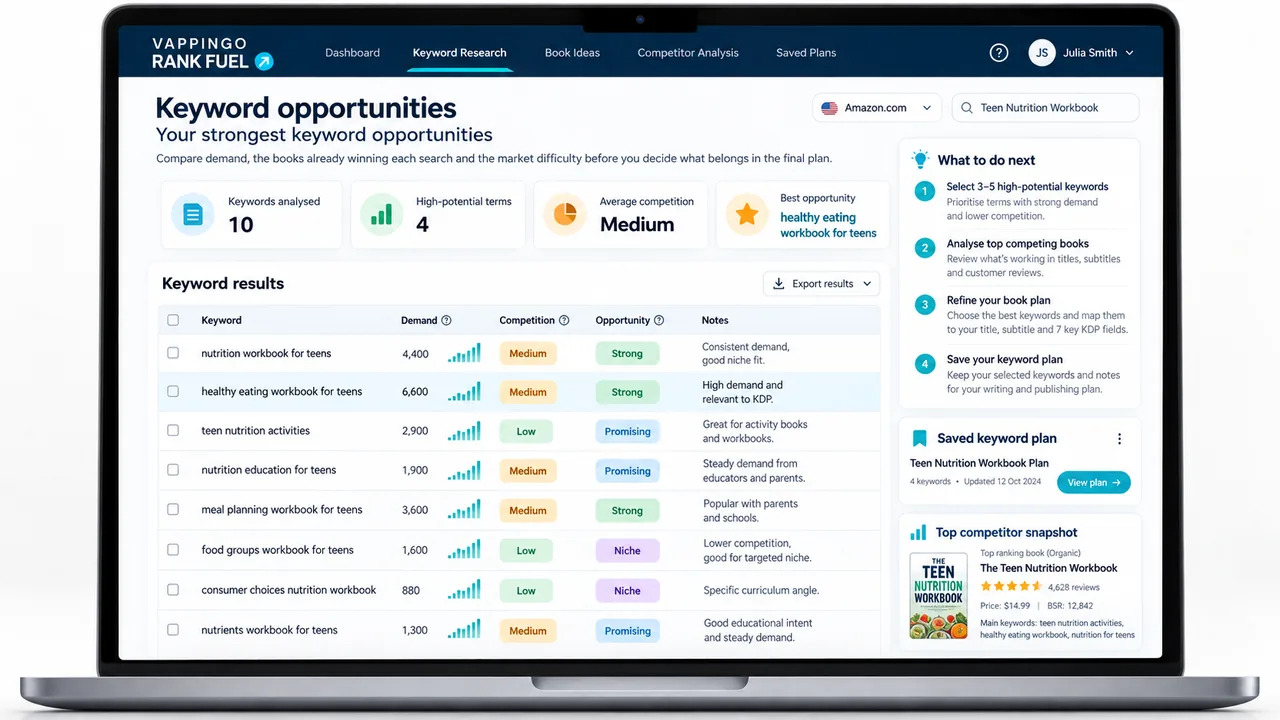
KDP Ranking Momentum: Spot Changes Across Your Tracked Keywords
See whether tracked Amazon search positions are strengthening, weakening, or holding, then connect the pattern back to the same book and listing.
Sales decline on Amazon follows a consistent pattern. It does not happen suddenly. It begins as a keyword slipping from position three to position seven. Then another term drops off page one. Then clicks fall because visibility has narrowed. Then conversion rate drops because the readers still finding the book are increasingly a poor match for what it delivers. Then sales figures decline. By the time the decline is visible in your royalty dashboard, the process has been underway for weeks.
The Sales Momentum Tracker is built to intercept that process early , not by monitoring sales, but by monitoring the upstream condition that sales depend on: the overall shape of your keyword ranking distribution. A book with a healthy position distribution is building momentum. A book with a shrinking top-positions bucket is losing it. The difference is visible weeks before it appears in sales figures.
Momentum data shows where ground is being lost , not why
When the Momentum Tracker shows a keyword sliding from the 4-10 bucket toward 11+, it identifies an opportunity to act. Whether the listing optimization that follows converts the recovered traffic depends on what readers find when they arrive. Vappingo’s professional manuscript proofreading service ensures the book behind your listing delivers what your ranking recovery promises.
The Four Position Buckets
The Momentum Tracker distributes every keyword your book ranks for across four buckets. The distribution at any given week, and how that distribution shifts over time, is the momentum signal.
What Momentum Looks Like in Practice
Positive momentum means the distribution of tracked searches is generally strengthening across repeated snapshots; negative momentum means more of the searches you care about are slipping into weaker position bands. One week is a signal to inspect, not a reason to panic.
Do not assume a downward shift proves that Amazon changed how it “categorizes” the book or that one competitor edit caused the movement. Search results change for many reasons. Use Momentum to identify where to investigate, then compare the book, the listing, competitors, price, ads, and market conditions before choosing an action.
The Send to Listing Optimizer Button
The most practically valuable feature in the Momentum Tracker is not the data itself , it is what happens when you act on it. Every keyword shown in the four through ten bucket has a Send to Listing Optimizer button. Clicking it passes that keyword directly to the Listing Optimizer as a target term, pre-populated and ready to use.
This collapses what would otherwise be a multi-step process , identify the keyword, note it down, open the Optimizer, enter the keyword , into a single action. The practical effect is that the time between spotting a momentum problem and beginning to address it drops from hours to minutes. Publishers who use both tools together report that the Momentum Tracker’s weekly review session consistently ends with a list of Optimizer targets rather than a vague intention to do something about the declining rankings they noticed.
For the Keyword Rank Tracker users who want individual keyword detail alongside the Momentum Tracker’s distribution view, the two tools answer different questions about the same underlying data. The Momentum Tracker tells you the overall shape of your ranking portfolio and where it is shifting. The
tells you exactly which individual keywords are driving that shape, with their position history week by week. Running both together gives you both the strategic view and the tactical detail.
Using Momentum Data Across a Catalog
The Momentum Tracker is most valuable for publishers with more than one live book. Running it across a catalog lets you see which books need attention and which are healthy , without having to check each book’s keyword rankings individually.
A catalog-level view shows you at a glance which books have positive momentum (concentrate resources here to accelerate), which are stable (maintain current activity), and which have negative momentum (intervene before sales decline). This prioritization is the difference between managing a publishing catalog reactively , responding to sales declines after they happen , and managing it proactively, addressing keyword erosion before it costs revenue.
According to the
Alliance of Independent Authors
, publishers who manage their catalogs systematically rather than title by title consistently achieve better aggregate revenue outcomes. The Momentum Tracker is the tool that makes systematic catalog management practical without requiring hours of manual tracking. For deeper context on what causes the ranking declines the Tracker catches early, the article on KDP sales rank decline covers the common patterns and their causes. The KDP backlist strategy guide connects momentum management to the broader task of maintaining a catalog’s long-term performance. See the KDP Rank Fuel platform review for the full Pro tier picture. Sign up at
. The Sales Momentum Tracker is a Pro tier tool included alongside the Keyword Rank Tracker, Competitor Discovery, and Keyword Gap Finder , the four monitoring tools that together give you a complete weekly picture of your book’s competitive position. For independent context on book performance monitoring, Reedsy’s book marketing resources cover the strategic framework that momentum tracking supports.
Interpreting Week-on-Week Bucket Shifts
Look for direction rather than a magic ratio. A repeated shift from stronger position bands into weaker ones is worth investigating, especially when it affects searches central to the book. The tool helps you spot the pattern; it does not define a universal threshold at which Amazon will reduce sales.
When to Act and When to Keep Watching
Act faster when the same important searches weaken across several observations and you can connect the change to a plausible event, such as a major listing edit, pricing change, stock or availability problem, or new competitive pressure. Keep watching when only one or two volatile terms move and the rest of the book’s visibility is stable.
Ranking Momentum is a directional research aid, not a sales forecast. Its best use is to move you from “sales feel softer” to a testable question about a specific book.
Frequently Asked Questions
Does Ranking Momentum predict future sales?
No. It summarizes changes in tracked search visibility. Search position can influence discovery, but the tool does not guarantee a future sales increase or decline.
Why use buckets instead of one average rank?
Buckets make the distribution easier to read. Averages can hide the difference between a few very strong terms and many weak ones, while grouped positions show whether visibility is concentrating near the top or slipping lower.
How many snapshots do I need before acting?
More than one. A single movement can be noise. Look for a repeated pattern and then check whether anything changed in your listing, competitors, ads, price, availability, or market demand.
How does Momentum connect to Listing Optimizer?
The current Rank Fuel journey links weakening ranking evidence back to Listing Optimizer so you can investigate the affected book rather than treating tracking as a disconnected report.
Does Amazon publish the reason a keyword moved?
No. Search positions can change for many reasons and Amazon does not provide a complete diagnostic explanation for each movement. Treat Rank Fuel’s interpretation as evidence to investigate, not a statement of Amazon’s private ranking logic.
What to Do Next
Use Ranking Momentum as an early-warning view, then investigate before changing the listing. A downward pattern can come from your own edit, competitor movement, seasonality, query volatility, or broader market changes. The tool is most valuable when it sends you back to the book with a specific question to test.
Continue in KDP Rank Fuel
Open the tool from your book workspace so the next action stays connected to the same title and evidence.