How to Find KDP Keywords With Amazon Autocomplete
Amazon autocomplete is a free way to discover the language Amazon currently suggests as shoppers type.
Amazon autocomplete is a free way to discover the language Amazon currently suggests as shoppers type. Used systematically, it can expand a candidate pool quickly without pretending those suggestions are exact search-volume data.
Amazon changes metadata, search, and merchandising systems. This guide reflects the September 2026 workflow; the live KDP interface and current Amazon help pages remain the final authority.
Why Autocomplete Is Valuable
Amazon autocomplete is valuable because it reveals phrases Amazon currently suggests as a shopper types. It is a fast, free way to discover wording you may not have considered and to see how a broad topic branches into more specific searches. It is not an official search-volume report, and Amazon does not publish the rule that determines which suggestions appear. Use autocomplete as discovery evidence. A suggestion is worth recording; it still needs to pass relevance, policy, and market checks before it earns one of your seven keyword entries.
Setting Up Correctly
Before you begin, configure your Amazon search correctly: The marketplace and book context matter because suggestions can differ across stores and sessions. Record the marketplace in your worksheet so later comparisons are meaningful.
- Go to Amazon.com (or your primary marketplace , Amazon.co.uk for UK authors).
- In the department dropdown to the left of the search bar, select “Books” if you are researching fiction or nonfiction books, or “Kindle Store” if you are specifically researching Kindle eBook keywords. The suggestions differ between departments , books and Kindle store return somewhat different autocomplete results.
- Make sure you are not logged in to an Amazon account that has extensive purchase history in your genre , logged-in autocomplete can be influenced by your personal browsing behavior. Use a private/incognito window for cleaner, less personalized results.
The Systematic Search Method
Do not search randomly , work through a systematic progression that expands your coverage: A repeatable sequence makes it easier to compare what each seed phrase surfaces and reduces the chance that you stop after the first obvious suggestions. A fixed sequence also makes it easier to repeat the research after the market changes.
- Start with your base genre phrase. Type “cozy mystery” and note all autocomplete suggestions. Record every one that accurately describes your book.
- Add specificity layer by layer. Type “cozy mystery with” and note suggestions. Then “cozy mystery set in” , “cozy mystery featuring” , “cozy mystery about.” Different connecting words surface different suggestion sets.
- Try your setting or period. Type “English village mystery” , “1950s mystery” , “Yorkshire mystery” , wherever your book is set.
- Try your protagonist type. “Amateur sleuth mystery” , “retired detective mystery” , “baker mystery series.”
- Try mood and tone descriptors. “Funny cozy mystery” , “heartwarming mystery” , “light mystery.”
- Try variant spellings. “Cozy mystery” (US spelling) if you are on Amazon.com , UK and US autocomplete differ and both are worth researching if you sell in both markets.
The Alphabet Technique
To extract the maximum number of suggestions from a given starting phrase, work through the alphabet. Type your base phrase followed by each letter in turn and note the suggestions: “cozy mystery a…” , note suggestions “cozy mystery b…” , note suggestions “cozy mystery c…” , note suggestions This systematic approach surfaces suggestions that would not appear in a simple search, because autocomplete prioritises different suggestions based on the next letter typed. The technique is time-consuming but produces the most comprehensive suggestion set for a given base phrase. You do not need to do this for every phrase , apply it to the two or three phrase starts that are most central to your book’s genre.
The Preposition Technique
Prepositions and connective words unlock different suggestion clusters. For each of your base phrases, try: Use them as exploration prompts rather than assuming every resulting phrase has meaningful demand.
- “[genre] with” , surfaces books associated with specific elements (“cozy mystery with recipes,” “romance with found family”)
- “[genre] for” , surfaces audience-specific searches (“mystery for book clubs,” “thriller for fans of Harlan Coben”)
- “[genre] about” , surfaces theme-specific searches
- “[genre] set in” , surfaces setting-specific searches
- “[genre] featuring” , surfaces character or element searches
Each preposition tends to produce a distinct cluster of suggestions. Work through all five for your primary genre phrase to capture the full range of how readers search.
Recording Your Findings
Keep a running document of every autocomplete suggestion you find that accurately describes your book. Do not filter during the collection phase , record everything that is relevant and filter later. A spreadsheet with columns for the phrase, the search prefix that surfaced it, and a relevance rating works well. Aim to collect at least 20-30 candidate phrases before you start selecting your final seven. The more candidates you have, the better your final selection will be , you are choosing the seven most strategically useful phrases from a well-researched pool rather than guessing from a handful of options.
Limitations of Autocomplete Research
Autocomplete does not tell you exact monthly searches, sales, conversion, or keyword difficulty. Suggestions can vary by marketplace, language, time, account context, and Amazon’s own systems. They can also surface phrases that are popular but unsuitable or prohibited as KDP metadata, including Amazon program names or competitor references. Treat the method as one input. Validate important phrases with comparable-book analysis, advertising search-term evidence, estimated market data, and your own understanding of the reader. A phrase that appears in autocomplete but misdescribes the book is still a bad keyword.
Combining Autocomplete with Other Methods
Autocomplete is your primary free research method, but the most comprehensive keyword research combines multiple approaches: Combining sources helps distinguish an interesting suggestion from a phrase that deserves one of the seven metadata entries. The strongest final set usually comes from comparing more than one evidence source.
- Autocomplete for phrase confirmation and discovery
- Competitor title and description analysis for genre language patterns
- Reader review mining for the language enthusiastic readers use
- Keyword research tools for volume data and competitive intelligence
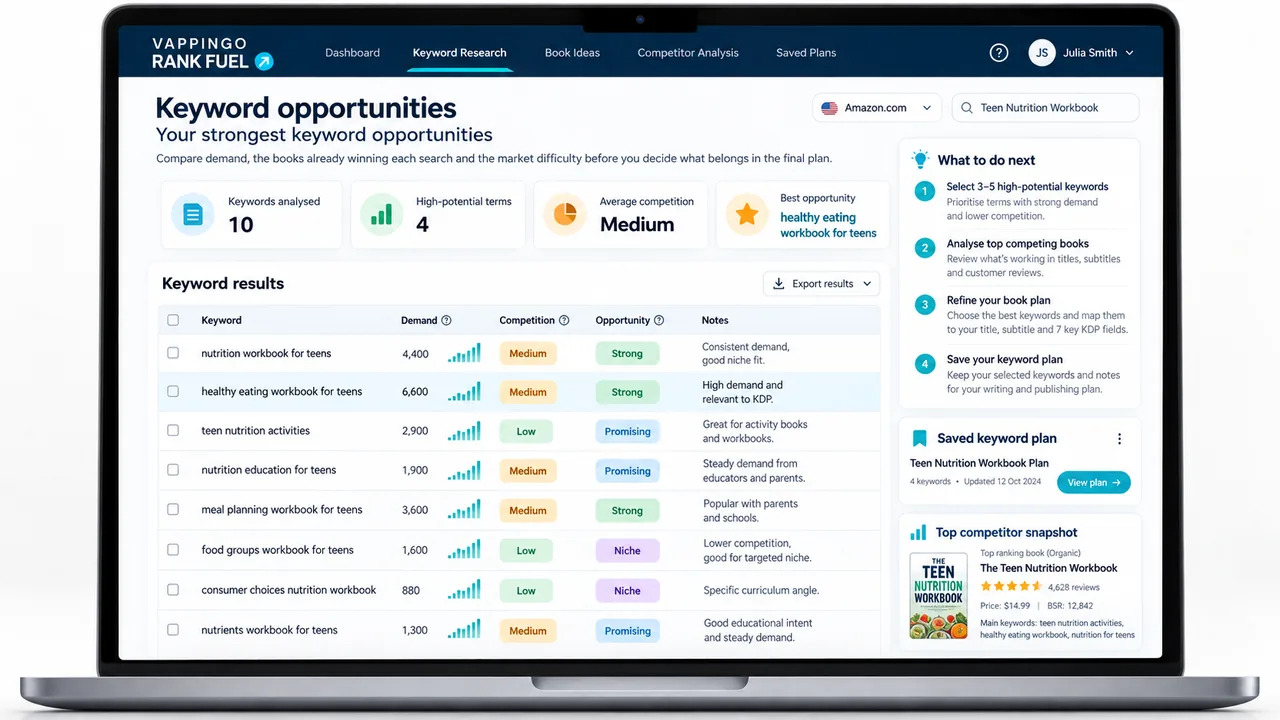
Manual autocomplete research is useful because it exposes the language Amazon currently suggests around a seed phrase, but it is only one input. If you want to shorten the collection stage, KDP Rank Fuel can generate book-specific keyword candidates and add estimated demand evidence where available. Treat those figures as comparative estimates rather than exact Amazon search totals, and still inspect the phrases for genuine book fit. Once your keyword work is bringing the right readers to the detail page, the manuscript has to justify their arrival. Vappingo’s manuscript proofreading service helps ensure the finished book is publication-ready.
Create a reproducible autocomplete session
Use a clean worksheet with columns for seed, suggested phrase, marketplace, date, relevance, and follow-up action. Run the same seed families in a consistent order so you can compare sessions instead of relying on memory. Record only suggestions that genuinely fit the book; a visible suggestion is not permission to use misleading metadata. When a phrase matters, validate it elsewhere. Check the result page, comparable books, estimated demand from a research tool, and advertising evidence if you have it. Autocomplete starts the research; it should not end it.
Frequently Asked Questions
How many KDP keywords can I add?
KDP currently allows up to seven keyword entries for a title. Use accurate words or short phrases that represent plausible customer searches.
Does KDP require a fixed character target in every keyword entry?
KDP’s current public keyword guidance emphasizes relevance and short, specific phrases rather than a strategy of filling every field to an old character target. Use the live KDP interface for any technical limit.
Can I use competitor author names as keywords?
KDP prohibits misleading or unauthorized references to other authors, books, brands, sales rank, promotions, and unrelated content. Use compliant reader language instead.
Do keyword tools show exact Amazon search volume?
Treat third-party search figures as estimates unless Amazon explicitly publishes them. They are useful for relative comparison, not as exact official totals.
How often should I change KDP keywords?
There is no required refresh schedule. Change them when new research or performance evidence gives you a clear reason, and keep a record of what changed.
Put the Evidence Into Practice
The strongest publishing workflow is easy to defend later: each metadata choice has a clear reason, each estimate is labeled as an estimate, and each change is recorded so you can learn from the result. That discipline survives platform changes better than any secret-algorithm shortcut.
KDP Rank Fuel connects book-centered keyword, competitor, category, listing, advertising, and performance workflows. Treat search figures and scores as research aids, and verify important decisions against the live Amazon market.
Vappingo provides professional manuscript proofreading by qualified human editors for self-publishing authors.