KDP Category Checklist: What to Check Before and After Publishing
Use this practical KDP category checklist to research, select, verify, and review categories without relying on outdated category hacks.
Category selection is easy to underestimate because it appears as a small part of the KDP setup flow. In practice, it affects how Amazon understands the book, where shoppers can browse for it, and which category ranks may appear on the detail page, so it deserves the same deliberate treatment as keywords, pricing, and the description.
This checklist reflects KDP’s current category system rather than the pre-2023 support-request workflow. KDP now lets authors select up to three categories based on the book’s audience, primary marketplace, and format, and Amazon says category changes can take up to 72 hours to display. Check Amazon’s current instructions whenever the interface changes.
Research Checklist
- Write a one-sentence positioning statement for the book: subject or genre, audience, and core promise.
- Browse the live Amazon category tree in the primary marketplace rather than relying on an old screenshot or static list.
- Identify comparable books, but treat their visible categories as context rather than a template.
- Build at least six plausible category candidates before narrowing to three.
- Check whether available categories differ between eBook, paperback, and hardcover.
- Use estimated competition only after you have established genuine relevance.
The research stage should produce a shortlist with reasons, not just three labels. If you cannot explain why a reader browsing each candidate shelf would be satisfied by the book, remove it before you compare competition.
This is also the stage to identify likely overlap with existing metadata. If the title, subtitle, description, cover, and keywords position the book one way while the categories position it another, fix the inconsistency before publishing rather than expecting Amazon to reconcile it for you.
Accuracy Checklist
- Each category reflects a substantial part of the book.
- No category is being used solely because it appears easier to rank.
- Children’s or teen categories match the actual intended reading age.
- Specialist health, legal, financial, or professional shelves are supported by the book’s real scope.
- Low-content titles are correctly identified under KDP’s low-content rules.
- The selected category would not surprise or disappoint a shopper who found the book there.
KDP’s metadata guidelines explicitly prohibit misleading categorization. That means relevance is not a soft preference that can be traded away for a lower-competition shelf; it is a publishing requirement.
When a book genuinely spans multiple subjects or genres, document the hierarchy of reader promises. That makes it easier to justify one primary category and two complementary categories without drifting into opportunistic placement.
Selection Checklist
Once you have accurate candidates, compare what each choice adds. KDP currently lets you select up to three categories, so the goal is not to fill three slots at any cost but to use each slot for a meaningful discovery route.
- Confirm Primary Audience and Primary Marketplace before choosing categories.
- Select the best available path for the current format.
- Prefer three genuinely distinct reader routes over near-duplicate labels.
- Use keywords to add specificity when the selector does not contain the exact niche.
- Recheck the list price if you change the primary marketplace on a published book.
- Save a record of the exact categories submitted and the date.
A nonfiction book for freelance designers about pricing could reasonably use one design-business shelf, one entrepreneurship shelf, and one pricing or finance-adjacent shelf if the manuscript genuinely supports them. Three design subcategories may look more specialized but could reach a narrower version of the same browsing audience.
Competition and Rank Checklist
Competition data should help you choose between relevant categories, not define relevance. Review the strength of leading books, estimated activity, review density, recency, and whether the shelf is dominated by established brands, but avoid universal thresholds that claim a certain BSR or sales count guarantees a category position.
Amazon explains that category ranks are based on customer activity relative to other books and that rankings can change even when your own activity does not. Use Amazon’s Sales Ranking guidance as the foundation, then layer estimates on top with appropriate caution.
- Separate observed Amazon data from estimated sales models.
- Record the date because category competition moves.
- Do not treat a #1 badge as a permanent asset.
- Compare several books near the part of the list you realistically want to reach.
- Remember that books may feature in more categories than the three Best Seller Category ranks shown.
Post-Publication Verification Checklist
Do not judge the result immediately after clicking Publish. KDP says new category placements can take up to 72 hours to display, and rankings themselves can take time to reflect new customer activity.
- Wait until the category update window has passed.
- Check the live Amazon product page rather than only the KDP dashboard.
- Record any Best Seller Category ranks that appear.
- Search for the book in the intended browsing context.
- Confirm the detail-page positioning still matches the cover and description.
- If something is wrong, review metadata relevance before changing several fields at once.
The post-publication check is where you catch both technical and strategic problems. A category may no longer be available, KDP may reject or change an inaccurate selection, or the book may simply be invisible because the shelf is much more competitive than your research suggested.
Ongoing Review Checklist
There is no need to rotate categories on a rigid monthly schedule. Review them when there is evidence that the current positioning is weak, when Amazon changes the taxonomy, when a new format or edition is published, or when the book’s audience and marketing strategy materially change.
- Compare current categories with new options in KDP.
- Check whether the book’s reader reviews reveal a stronger use case or subgenre.
- Review category rank as a trend rather than a single screenshot.
- Change one category at a time when you want to learn from the result.
- Keep a simple change log with date, old category, new category, reason, and outcome.
A change log prevents circular optimization. Without one, authors often revisit the same shelves months later, forget why they moved, and mistake normal rank volatility for evidence that a category change worked.
Tools for Each Phase
Use the simplest tool that answers the current question. The Amazon store and KDP selector are the source of truth for current availability; competitor pages add context; your own Reports data shows what happened after publication; and third-party research can help compare estimated difficulty.
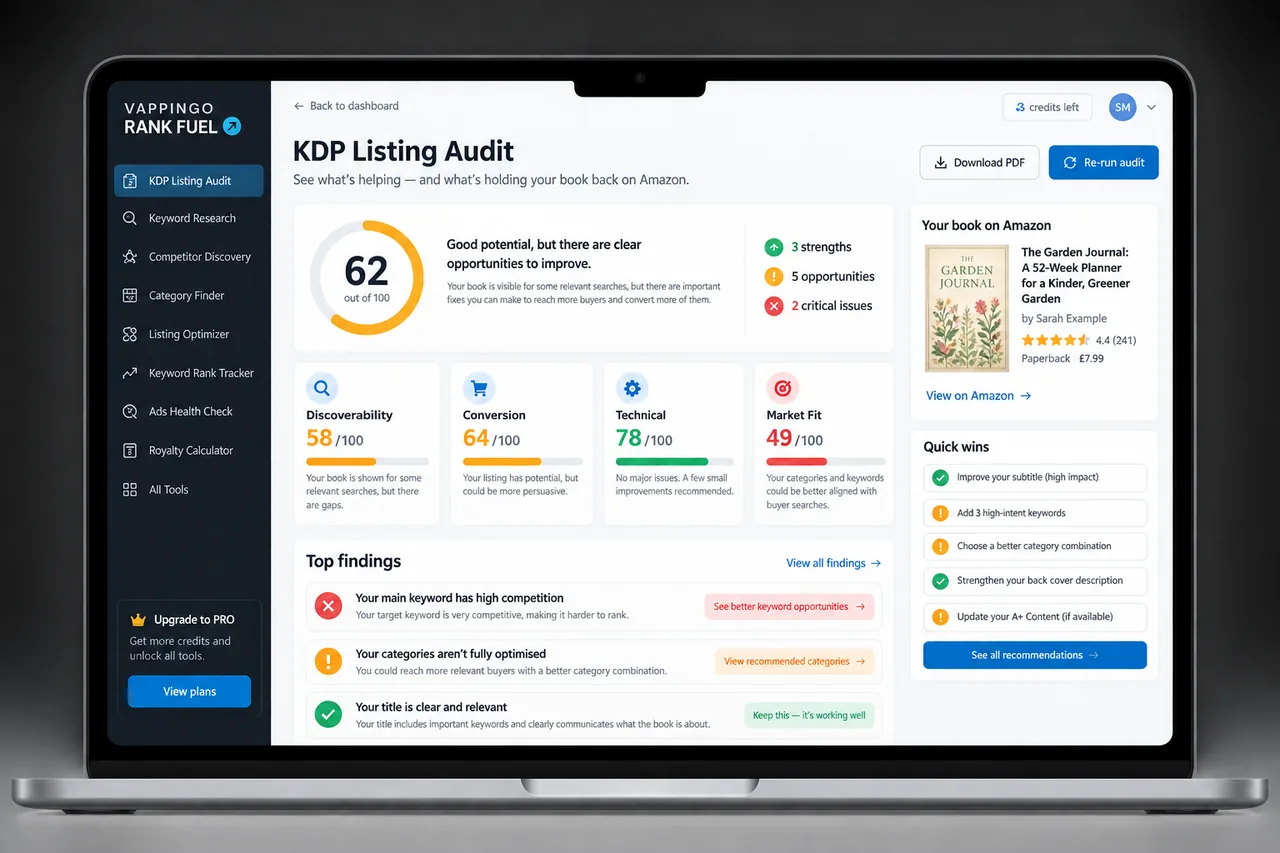
Rank Fuel’s Category Finder is useful for exploring category options, while Category Research can add competitive context. Treat those outputs as research signals rather than Amazon rules, and always verify the final category path in KDP before you publish.
Frequently Asked Questions
Do I need to use all three category slots?
Use all three when you have three accurate, useful choices. Do not force a weak or misleading third category just because a slot exists.
How often should I review categories?
Review them when performance, positioning, taxonomy, format, or audience changes give you a reason. A fixed schedule can be useful as a reminder, but avoid changing categories simply because a calendar date arrived.
Can I request extra categories from KDP Support?
The old support-request process for adding categories beyond the dashboard choices is no longer the standard workflow. Focus on the categories KDP lets you select and on accurate supporting metadata.
How long do updates take?
KDP says new category placements can take up to 72 hours to display.
Should category research be based on competitor BSR?
BSR can provide context, but it is relative and not a direct sales count. Use several signals rather than one cutoff.
What should I save in a category change log?
Record the date, old and new categories, reason for the change, relevant baseline metrics, and what happened after the update window.
Make Category Selection a Publishing Control Point
A checklist does not make category strategy mechanical; it makes it accountable. You still need editorial judgment about reader fit, but the process stops that judgment from being rushed or overridden by a tempting competition number.
Keep the checklist with your launch files and reuse it for major updates. Over time, the value comes from consistent decisions, clean records, and fewer avoidable category changes.