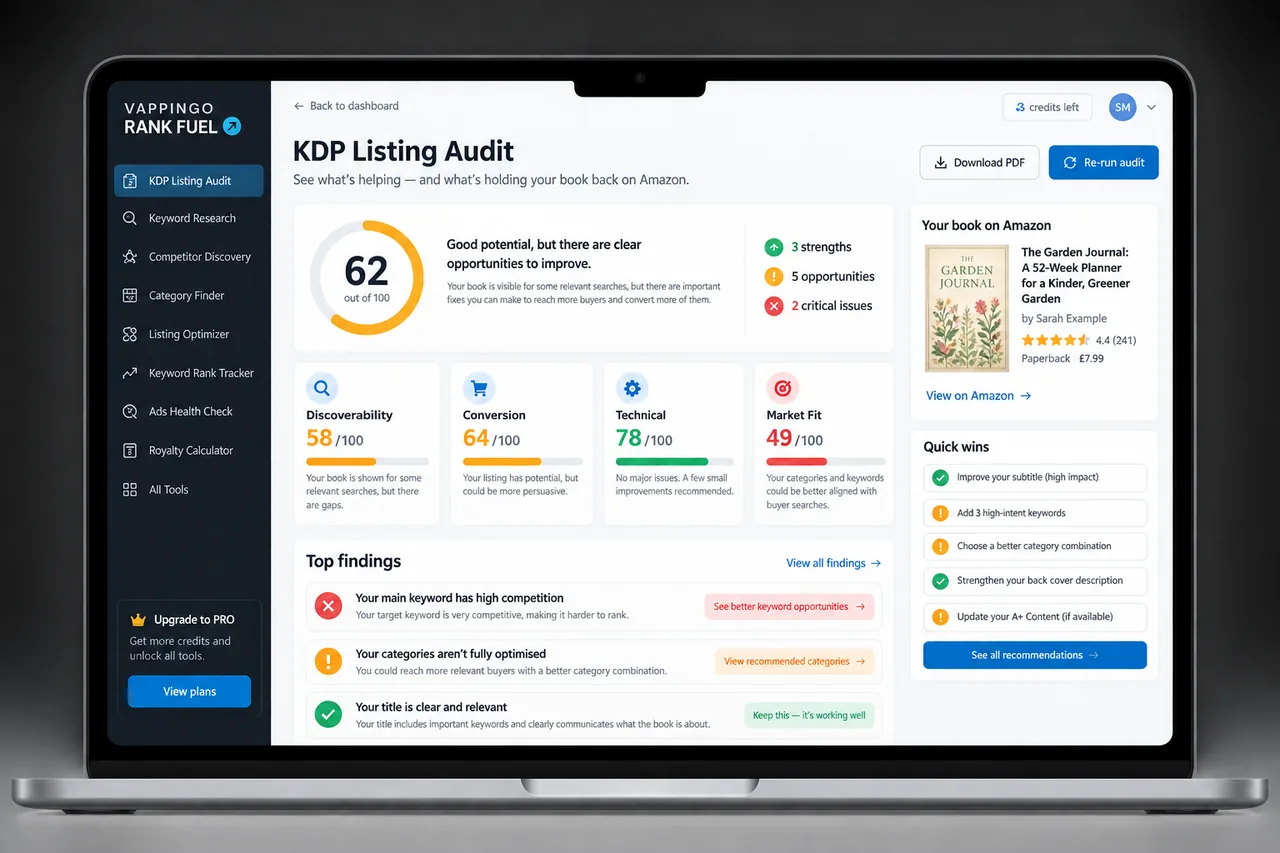
KDP Category Audit: How to Review and Improve Existing Placements
Audit an existing KDP book’s categories by comparing selected metadata, public category ranks, current browse paths, relevance, and competition. Includes a repeatable catalog worksheet.
Amazon category taxonomies change, books move in relative rank, and an old category strategy can become stale without anything being “wrong” with the book. A periodic audit helps you catch that drift.
The critical distinction is between your selected categories in KDP and the Best Seller Category ranks Amazon currently shows on the detail page. They are related but not identical records, so capture both.
When to Conduct a Category Audit
A quarterly audit is a sensible default for an active backlist. Run one sooner after a major repositioning, a category becomes unavailable, Amazon changes the taxonomy, or the book’s public category display looks obviously wrong. A new launch also deserves a post-launch review once the initial traffic settles.
Do not audit simply because the rank had one bad day. Relative rank can move even when your own customer activity stays similar.
Step 1: Record the Current KDP Selections
Open the book’s details in KDP and record the current category selections for the edition you are auditing. Include the primary marketplace and format because category availability depends on both. If the book has Kindle, paperback, and hardcover editions, audit them as separate rows.
Add the date the categories were last changed if you have it. This becomes the authoritative record of what you asked KDP to use.
Step 2: Record the Public Category Ranks Separately
Open the Amazon detail page for the same store and format. Under Product Details, record the Best Seller Category ranks Amazon currently displays. Amazon says a book can be ranked in up to three category lists, and customer activity influences which three appear.
Do not assume a missing displayed rank proves a selected category is absent. The public ranking display is not a simple echo of your three KDP selections.
Step 3: Verify the Current Browse Paths
Follow the category links where available and confirm that the path is still meaningful in the current store. Amazon says categories change over time and some categories become unavailable. If a community guide calls a category a “ghost,” translate that into a practical question: can a shopper currently browse a useful category page, and does the path still represent the book?
Save the URL or node identifier if you need a precise audit trail. Avoid relying on a category list exported months earlier.
Step 4: Reassess Relevance Before Competition
Read the category name as a buyer would. Does the book still belong there based on its central genre, subject, audience, and promise? If the answer is weak, replace it even if the rank looks good. Amazon explicitly warns against misleading categorization.
Only after fit is established should you compare competition and visible position. A more specific accurate category can be useful, but an unrelated easy shelf is not an optimization.
Step 5: Add the Commercial Context
Record current price, recent sales direction, ads, promotions, series events, and major review changes. If you changed the cover last week and sales doubled, a category rank improvement may be an effect of better conversion rather than evidence that the category itself suddenly became better.
The audit should preserve that uncertainty. Mark observations as “associated with” rather than claiming causation when several variables moved together.
Step 6: Identify One Clear Improvement
Prioritize obvious problems: an inaccurate category, an unavailable path, a category far broader than a strong relevant alternative, or a format mismatch. If all three categories are accurate and useful, “no change” is a legitimate audit outcome.
When you do change a category, record the old and new selections, submit the update, and wait for the 72-hour display window before performing the first check. That sequence gives the store time to reflect the metadata change before you decide whether it worked.
Step 7: Turn the Audit Into Catalog Intelligence
Across ten or twenty books, patterns matter more than isolated ranks. You may discover that the same category was copied onto every title even when later books changed subject, or that a taxonomy update affected an entire product family. Fix those patterns systematically.
A shared audit log is also valuable for co-authors, assistants, and small publishing teams because it records why a change was made and prevents a later editor from undoing it without context.
A Practical Category Audit Sheet
- Book title and ASIN
- Format and primary marketplace
- Selected KDP categories
- Public category ranks shown
- Browse path / URL check
- Relevance assessment
- Competition notes or directional estimates
- Price, ads, promotion context
- Change made and rationale
- Date submitted / date verified
- Next review date
Shortlist better alternatives
Use Category Finder for current paths and Category Research for a deeper comparison before you replace a live selection.
Score an Audit Before You Change Anything
Give each selected category a simple three-part review: relevance, visibility, and confidence. Relevance asks whether the shelf accurately describes the book. Visibility asks whether the category still exists and places the book among useful comparables. Confidence records how certain you are, based on the KDP selector, live store, and recent observations, that the category is doing the job you intended.
A category with high relevance and low current rank is not automatically a failure; the competition may simply be strong. A category with low relevance and an attractive rank is a more serious problem because the placement can mislead shoppers. This scoring order keeps the audit aligned with Amazon’s customer-experience guidance and prevents “easy rank” from becoming the only reason to edit metadata.
Frequently Asked Questions
How many KDP categories can I choose?
KDP currently allows up to three categories during title setup or editing. The available choices depend on the book’s primary audience, primary marketplace, and format.
How long do category changes take?
Amazon says new category placements can take up to 72 hours to display. After category changes, category-rank information can take longer to settle, so avoid judging the result immediately. See the current KDP timelines.
Can Amazon change my category placement?
Yes. Amazon says categories can change over time and that it may change inaccurate placements to protect the customer experience. Treat your selected categories as metadata choices, not permanent ownership of a shelf.
Why do my displayed category ranks differ from the categories I selected?
Amazon says a book can display up to three Best Seller Category ranks based on customer activity, regardless of how many categories the book may feature within. The public display is not a direct mirror of the KDP selector.
What is a ghost category?
“Ghost category” is community shorthand, not an official KDP status. Use it to describe a path with little or no useful public browse presence, then verify the current store before replacing it.
Should every quarterly audit produce changes?
No. Keeping three accurate, useful categories is a successful audit outcome.
How quickly can I evaluate a changed category?
Allow the KDP category display window to pass first. Amazon says categories can take up to 72 hours to appear, and rank information can take additional time to settle.
Audit for Clarity, Not Constant Motion
A good category audit creates a reliable record of what is selected, what is visible, and why you are keeping or changing each choice. That record becomes more valuable as the catalog grows.
If the audit cannot identify a specific problem, leave the categories alone and focus on the part of the sales path that actually has evidence of weakness.