KDP Keyword Limit: Why the 249-Byte Rule Does Not Apply to Books
The 249-byte backend-search-term rule belongs to Seller Central, not KDP books. Learn how the seven KDP keyword boxes work, what Amazon recommends, and how to use them without wasting space.
If you’ve been told that Amazon KDP gives you 249 bytes for backend keywords, there is a good reason the advice sounds convincing. Amazon really has used a less-than-250-byte rule for backend search terms.
Just not for the seven KDP keyword boxes. That rule belongs to Amazon Seller Central and the generic search-term field used for ordinary product listings. KDP has a different interface and different guidance for books.
For KDP, you get seven keyword boxes. Each currently allows up to 50 characters. So if you’ve been counting bytes, deleting accented characters or worrying that one extra symbol will cause all seven KDP fields to disappear from Amazon’s index, you have been solving the wrong technical problem.
The Quick Answer: KDP Uses Seven Keyword Boxes, Not One 249-Byte Pool
Amazon’s current KDP guidance says you can add up to seven keywords or short phrases that accurately describe your book and reflect the language readers use when they search. The live KDP workflow gives you seven separate fields, each with a 50-character limit. That gives you a theoretical maximum of 350 characters across the seven boxes.
The important distinction is this:
KDP books: 7 keyword boxes × 50 characters. Seller Central products: generic search-term rules measured in bytes.
The two systems both live on Amazon, but the limits and interfaces are not interchangeable.
Amazon’s own KDP page is the source to follow for books: Make Your Book More Discoverable with Keywords. It describes the seven-field book workflow rather than Seller Central’s separate generic-search-term rules.
Where Did the 249-Byte Rule Come From?
This is not a made-up number. Amazon Seller Central historically limited the generic keyword attribute for many physical-product ASINs to less than 250 bytes. That is why you’ll find years of Amazon SEO articles talking about 249 bytes, UTF-8 characters and what happens when a generic search-term field goes over the limit.
Those articles may be perfectly accurate for the Seller Central workflow they are describing. The mistake happens when somebody copies that advice into a KDP article.
KDP does not give you one generic search-term field containing 249 usable bytes. It gives you seven book-keyword fields.
That difference changes the whole strategy. You do not need to squeeze every possible word into one byte-counted string. You need to use seven limited fields to give Amazon accurate, useful information about the kind of book you’ve published and the searches that fit it.
What Is the KDP Backend Keyword Limit in 2026?
Amazon’s public KDP help page currently says:
- use up to seven keywords or short phrases;
- keep an eye on the character limit in each text field;
- choose terms that accurately describe the book;
- think like a reader and use language someone might actually search.
The current KDP interface uses seven boxes with up to 50 characters in each. Amazon’s public help page confirms the seven-keyword structure and tells authors to watch the character limit in each field; the 50-character ceiling is visible in the current KDP interface and is consistently documented by current author-industry sources.
Rank Fuel’s current listing-validation code also checks each box separately rather than treating the seven fields as one shared byte pool. Rank Fuel checks each of the seven boxes separately and flags any box that exceeds 50 characters.
Do Bytes Matter at All for KDP Keywords?
Not in the way the old version of this article claimed. Bytes and characters are different technical units. An accented character can take more bytes than a plain English letter when text is encoded in UTF-8.
That matters in systems whose limits are explicitly defined in bytes. KDP’s current keyword guidance tells you to watch the character limit in the field. The interface gives you the boxes you need to fill.
So there is no benefit in putting your KDP keyword phrase through a byte counter before you paste it into the dashboard. If the field accepts the phrase within its character limit and the keyword complies with Amazon’s metadata rules, the byte-counting exercise is unnecessary. That also means the old warning that “one extra byte can silently invalidate your entire backend keyword field” should not be applied to KDP’s seven boxes.
What Does Amazon Actually Want in the Seven Keyword Boxes?
Amazon’s own advice is much more useful than trying to reverse-engineer a hidden byte rule. It tells you to think like a reader.
Useful keyword types include:
- setting: for example, colonial America;
- character type: single dad, veteran, amateur sleuth;
- character role: strong female lead;
- plot or theme: coming of age, forgiveness;
- tone: feel-good, dystopian.
That gives you a much better way to think about backend keywords. You are not trying to build the longest possible hidden string.
You are trying to give Amazon useful vocabulary that helps connect your book with relevant searches. For fiction, that may mean trope, setting, character and tone language.
For non-fiction, it may mean the problem being solved, the reader, the outcome, the format or the specific situation in which someone needs the book. If you need to work out whether a phrase has enough demand to deserve one of those boxes, start with our guide to KDP keyword search volume.
What Should You Avoid Putting in Your KDP Keywords?
This is where Amazon is quite specific. Its current guidance tells you to avoid: These restrictions matter more than squeezing every possible character into the fields.
- information already covered elsewhere in your metadata;
- words already represented by your categories;
- subjective claims such as “best novel ever”;
- time-sensitive language such as “new” or “on sale”;
- generic words such as “book”;
- spelling errors;
- unnecessary variants of spacing, punctuation, capitalisation and plurals;
- other authors’ names or unrelated brands;
- misleading or irrelevant terms;
- Amazon programme names such as Kindle Unlimited or KDP Select;
- HTML tags.
That list immediately corrects several pieces of old KDP folklore. You do not gain anything by deliberately making the metadata messier.
Do Not Waste Keyword Boxes on Misspellings
The previous version of this article recommended intentional misspellings such as “fantacy”. Amazon’s current KDP guidance says the opposite.
Avoid spelling errors. It also tells you not to waste space on trivial variants of punctuation, capitalisation or singular/plural forms.
So you do not need:
mystery mysteries mistery Mystery
Those variations are not giving Amazon four meaningfully different pieces of information about your book.
Use the space for another relevant concept instead. The same goes for random translations. Do not add Spanish, French or German words just because you have spare characters. Use a term because it accurately describes the book and is relevant to the readers and marketplace you are targeting.
Should You Use Single Words or Keyword Phrases?
Amazon’s metadata guidance recommends useful phrases of around two to three words, while its discoverability guidance also explains that words entered without quotation marks can be matched flexibly. The practical answer is to use short, natural groups of relevant words.
For example:
small town cozy mystery amateur sleuth
This gives Amazon several connected pieces of information about the same reading experience.
You do not need quotation marks around the phrase. And you do not need to turn all seven boxes into exact-match keyword strings just because a keyword tool showed you a particular phrase. The goal is relevance.
How Should You Choose Your Seven KDP Keyword Boxes?
Start with the buyer, not with the blank boxes. For each possible keyword, ask: The strongest choices should survive all of these checks.
- Would someone searching this be pleased to find my book?
- Does the phrase describe the same reader, problem, genre, format or reading experience?
- Is there evidence that people search for it?
- What books currently appear when I search it?
- Can my book realistically compete with them?
- Does this keyword add something useful that my other metadata does not already communicate?
This is why search volume by itself is not enough. A phrase can have lots of demand and still be a terrible keyword if the search results show a completely different product. Before using a high-volume term, check whether the KDP keyword is actually too competitive.
Use Competitors to Find the Language Buyers Already Use
One of the best ways to escape your own vocabulary is to study the right competing books. You may describe your book as a “light-hearted village detective novel”.
Your readers may search for “cozy mystery amateur sleuth”. That gap matters.
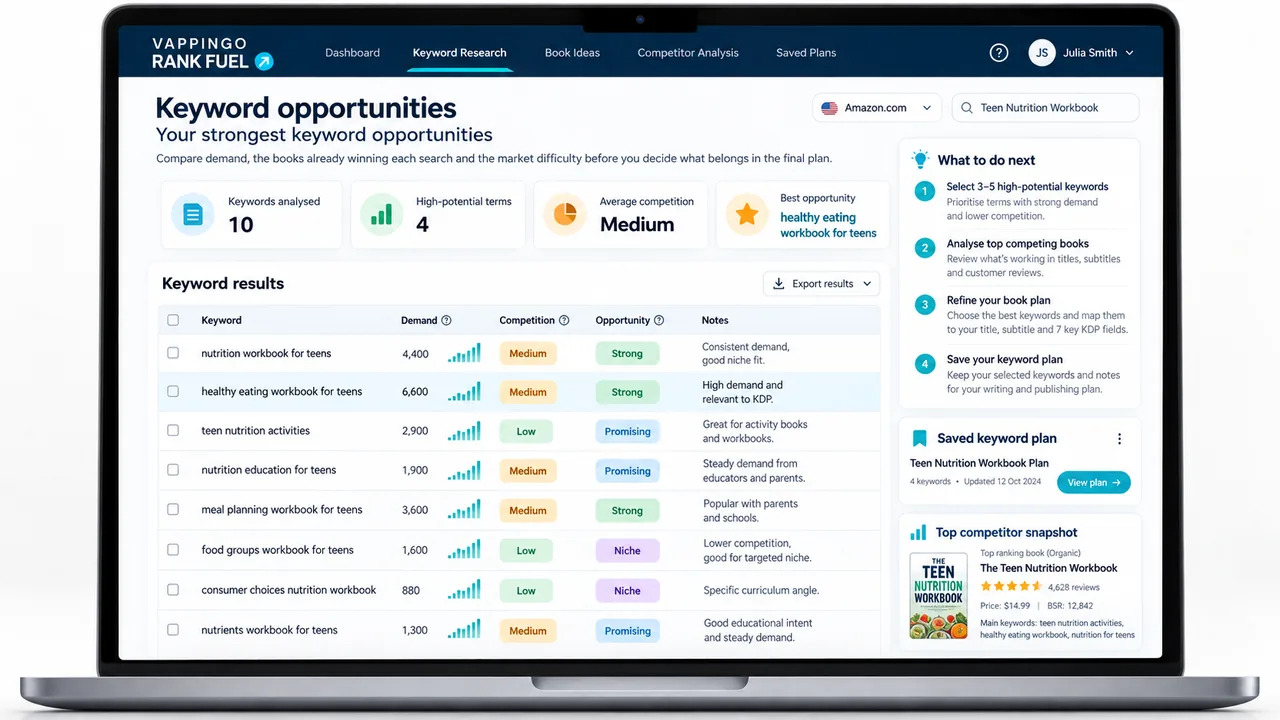
Rank Fuel’s Book Keyword Spy starts with a competitor ASIN and shows the Amazon searches that book ranks for, together with its ranking position and search-volume data. The tool is useful because it gets you out of brainstorming mode and into observed search territory.
But choose the competitor carefully. The biggest bestseller in your category is not automatically the best comparison title. Use our five-fit test for choosing a KDP competitor first, then read how to reverse-engineer the useful evidence without copying the book.
Look for Keyword Gaps After Publication
Your keyword work does not have to end on publication day. Once your book has an ASIN and begins appearing in search, you can compare its visible footprint with a competitor’s.
Rank Fuel’s current Keyword Gap Finder compares your ASIN with a competitor ASIN and surfaces searches where the competitor ranks in the top 10 and your book does not appear. That does not mean every gap belongs in a backend keyword box.
A gap is a research lead. Check whether the search is genuinely relevant, whether the competitor is serving the same buyer and whether the result page represents a market you can sensibly enter.
Then decide whether the term belongs in your metadata, listing positioning, advertising or nowhere at all. If your book already ranks for the terms you chose but buyers still are not arriving, the problem may be somewhere else. See Why Your KDP Keywords Are Not Bringing Buyers before replacing all seven boxes.
How KDP Rank Fuel Handles the Seven Keyword Boxes
This is one area where I checked the current production code rather than relying on the old article. Rank Fuel already uses the correct KDP structure.
The Listing Generator creates a complete listing including more than 100 keyword ideas and all seven KDP keyword boxes. Behind the scenes, the current listing-box logic treats each box as a separate 50-character field. It does not pack one 249-byte Seller Central string.
The current code also deliberately tries not to shred useful search phrases simply to fill every last character. That is the right principle.
How to Audit the KDP Keywords You Already Have
If you set your keywords up months ago using the 249-byte advice, you do not need to panic. Once the boxes themselves are clean, the next question is whether the rest of the listing supports the same reader intent. Use the semantic search and KDP listings guide for that relationship, then the KDP listing optimization guide for a field-by-field audit. Open your KDP Bookshelf and review the seven fields one at a time.
- Check relevance: Would the shopper searching this term genuinely want your book?
- Check the field length: Keep each box within its current character limit.
- Remove prohibited terms: competitor authors, unrelated brands, promotional claims and Amazon programme names do not belong there.
- Remove spelling errors: do not use precious field space on deliberate misspellings.
- Remove unnecessary duplicates: prioritise information not already covered elsewhere in your metadata or categories.
- Check the live results: search Amazon for the phrase and look at the books that actually appear.
- Use evidence: compare demand, competition and competitor visibility before replacing a field.
You can change KDP keywords after publication. Amazon explicitly says you can update keywords and descriptions as often as you like, although changes still need to go through KDP’s normal update process. If you are not sure whether the keywords are the real reason a book is underperforming, run a wider KDP listing audit before changing them in isolation.
Frequently Asked Questions About the KDP Keyword Limit
Does KDP have a 249-byte keyword limit?
No. The 249-byte advice comes from Amazon Seller Central’s generic search-term rules for ordinary product listings. KDP currently gives authors seven separate keyword fields and tells them to use up to seven keywords or short phrases while staying within each field’s character limit.
How many KDP keyword boxes do I get?
You get up to seven keyword boxes when setting up or editing a KDP book. Amazon describes them as keywords or short phrases that should accurately reflect your book and the language readers use in search.
How many characters can I put in each KDP keyword box?
The current KDP interface uses a 50-character limit for each of the seven keyword boxes. Amazon’s public help page tells authors to watch the character limit shown in the field rather than describing the KDP limit in bytes.
Should I count bytes for KDP keywords?
No. Byte counting is relevant to Amazon search-term fields that are explicitly byte-limited, such as historical Seller Central generic keyword rules. For KDP, work within the character limit shown in each of the seven book-keyword fields.
Should I put misspellings in my KDP keyword boxes?
No. Amazon’s current KDP guidance explicitly lists spelling errors among the keyword types to avoid. It also says not to waste metadata on unnecessary variants of spacing, punctuation, capitalisation and pluralisation.
Should I repeat words from my title in the keyword boxes?
Amazon advises you to avoid information already covered elsewhere in your book metadata and says keywords are useful for relevant information that does not fit naturally in the title and description. Use the boxes to extend useful coverage rather than simply repeating the visible listing.
Can I change my KDP keywords after publication?
Yes. Amazon says you can change keywords and descriptions as often as you like. Edit the book details from your KDP Bookshelf, save the changes and republish the update through the normal workflow.
Should I fill all 50 characters in every keyword box?
Do not add irrelevant words simply to fill space. Current author testing suggests that using more of the available relevant vocabulary can increase the searches a book is indexed for, but Amazon’s own priority is accuracy and relevance. A shorter useful box is better than a full box containing weak or misleading terms.
The Rule to Keep
The 249-byte rule is useful Amazon SEO history. It is just not the KDP rule you need to optimize around.
You have seven keyword boxes. Use them to describe the book accurately, extend the useful information in your metadata and capture the language real buyers use. Then judge those terms by the search results they lead to, not by how efficiently you can compress them into bytes.
Stop counting bytes. Start choosing better buyer searches.
Seven relevant keyword boxes will do far more for your book than a perfectly packed technical limit that does not belong to KDP in the first place.