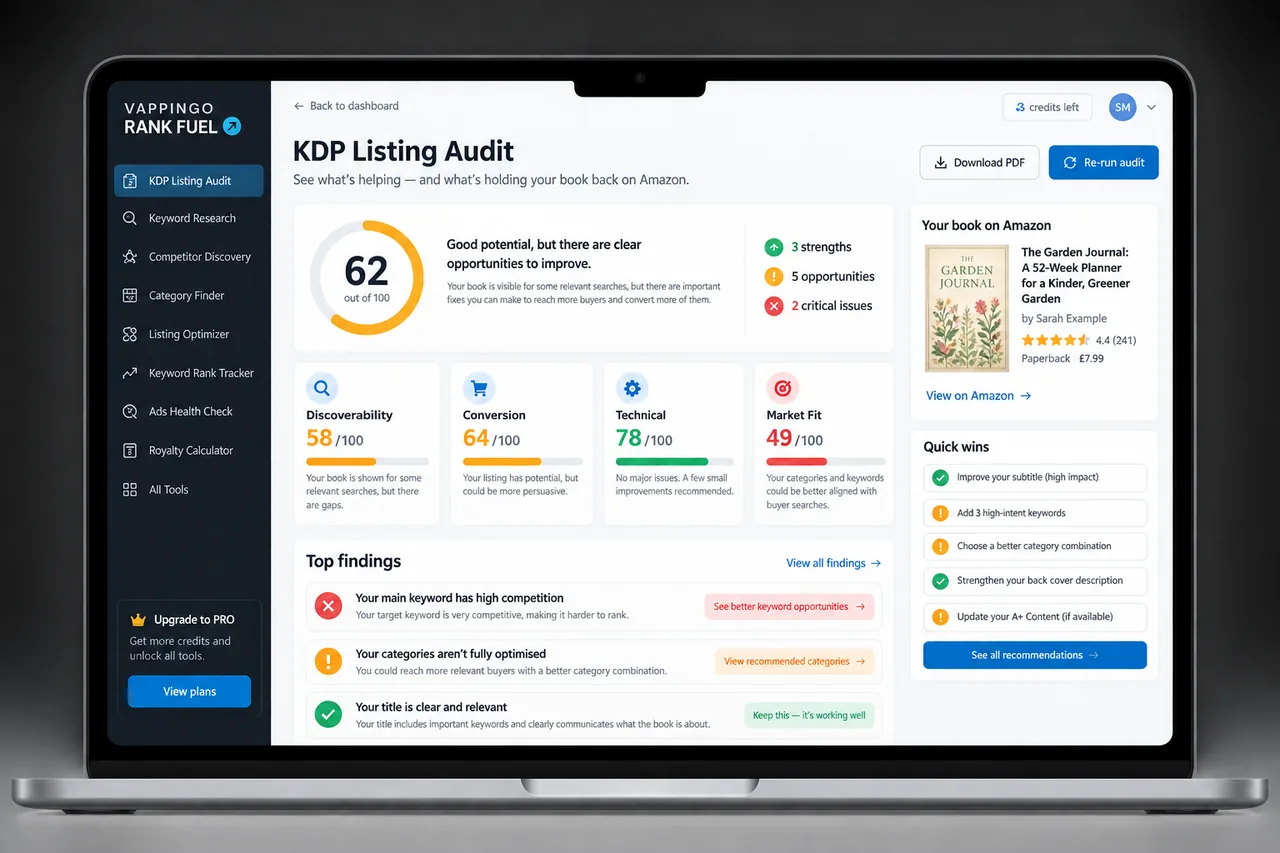
KDP Keywords vs. Categories: What Each One Does in 2026
Keywords describe specific reader searches and concepts; categories place the book in browse structures. Use both accurately and update them as evidence changes.
KDP keywords and categories both help Amazon understand where a book belongs, but they solve different discovery problems. Keywords describe the language readers may use when searching. Categories place the book into browse structures where shoppers explore genres, subjects, audiences, and formats.
They work together, and Amazon explicitly says categories and keywords both help determine how a book is shelved. The mistake is treating either one as a hidden ranking lever rather than as accurate product metadata.
What KDP Keywords Do
KDP currently lets you enter up to seven keywords or short phrases. Amazon recommends thinking like a reader, testing candidate phrases in Amazon search, using logical word order, and avoiding vague or misleading terms.
Keywords are useful for details that may be more specific than the available category tree: setting, character type, role, plot theme, tone, audience need, or subject phrasing. They should describe the actual book, not the market you wish the book belonged to.
What Not to Put in Keyword Fields
KDP advises against repeating information already covered elsewhere in metadata, using subjective promotional claims, or inserting misleading terms. Competitor names, brands you do not own, and unrelated trending phrases create customer-experience and policy risk.
Do not treat each field as a bag of disconnected words. Amazon explicitly recommends logical keyword phrases. A coherent phrase that reflects how a shopper searches is more useful than a pile of fragments assembled only to fill character space.
What Categories Do
KDP currently allows authors to select up to three categories when creating or editing a book. Categories are browse placements, and Amazon advises choosing accurate categories where the right readers would reasonably shop.
Category availability differs by format and marketplace. A placement available for an ebook may not exist for a paperback, and Amazon.com may not expose the same tree as Amazon.co.jp. Start with the primary marketplace and choose the best matching placement available for that format.
How Keywords and Categories Work Together
Categories establish the broad shelf; keywords can provide more specific context. KDP itself says that when a precise category is unavailable, keywords can help Amazon determine how the book should be shelved.
This does not mean a keyword silently adds a guaranteed category or ranking. Amazon’s classification and search systems use several pieces of book information, and the exact weighting is not public.
Example: Fiction
A romance novel might use a category that accurately reflects the main subgenre, while keywords describe elements such as small-town setting, second-chance relationship, single-parent character, or cozy tone. The category tells the shopper what kind of shelf they are browsing; the keywords help express the more specific reading experience.
Avoid using categories simply because they appear less competitive if the book does not belong there. A misleading bestseller badge is not a durable substitute for putting the book in front of the right reader.
Example: Nonfiction
A nonfiction book may sit in a broad business, health, history, education, or reference category while the keywords capture the exact reader problem or use case. A guide for first-time nonprofit treasurers, for example, needs language more specific than the parent business category can express.
The best keyword is still not necessarily the one with the largest estimated search volume. Relevance, buyer intent, competition, and the book’s ability to satisfy that search all matter.
How to Update Keywords and Categories
Both keywords and categories are editable after publication. KDP says updates generally take up to 72 hours to appear, although sales-rank display after category changes can take longer.
Record the old selections before changing them. If search visibility or category performance changes, you need the baseline to know whether the update helped rather than merely creating movement.
A Simple Metadata Strategy
Start with the buyer and product. Choose the three most accurate category placements available for the relevant format and primary marketplace. Then use the seven keyword fields for distinct, specific concepts the categories and other metadata do not already communicate well.
Review the live market before publication and periodically afterward. Search language, competitive sets, and category availability can change, while title and subtitle become far less editable after publication. Use the flexible fields intelligently instead of stuffing them.
Where Rank Fuel Fits
Use the tool that answers the next decision rather than opening everything at once. Keep the evidence attached to the same book so research, listing work, ranking changes, and advertising decisions build on one another.
| Tool | Use it when… |
|---|---|
| Keyword Research | Compare Amazon.com buyer searches before choosing keyword fields. |
| Category Finder | Find accurate category options without guessing. |
| Category Research | Compare category opportunity when you need deeper market evidence. |
Research the Search and Browse Environment Separately
Keyword research begins with the phrases shoppers type. Category research begins with the shelves and subgenres where comparable books are grouped. The evidence overlaps, but the questions are different. A phrase with strong buyer intent may not have an exact category equivalent, and a valuable category may contain many different search phrases.
Research both before finalizing metadata. Look at the books appearing repeatedly, their prices, covers, formats, age, reviews, and whether newer titles can gain visibility. The presence of a category or search phrase is not enough; the book needs a realistic place inside that competitive set.
Use Editable Metadata to Support, Not Repair, a Bad Locked Title
After publication, KDP keeps description, keywords, categories, territories, and price editable, while core title information becomes much more restricted. That makes backend keywords useful for improving specific discovery without changing the public title every time search language shifts.
It does not mean keywords can rescue a title and subtitle that fundamentally position the book for the wrong reader. Make the locked metadata carefully before publication, then use flexible fields for refinement.
Each field should earn its place
- Does the phrase describe the actual book?
- Would a real buyer plausibly search this way?
- Is it distinct from information already communicated elsewhere?
- Does it avoid competitor brands and subjective promotional claims?
- Is the phrase specific enough to reveal reader intent?
- Does current Amazon search show a relevant competitive set?
Frequently Asked Questions
How many KDP keywords can I use?
Up to seven keywords or short phrases.
How many KDP categories can I choose?
KDP currently lets authors select up to three categories.
Do keywords control categories?
Not directly. KDP says keywords can help determine shelving when the category tree does not capture a specific concept, but no keyword guarantees a category placement.
Should I repeat title words in backend keywords?
KDP advises avoiding information already covered elsewhere in metadata when better distinct search concepts are available.
Are categories the same in every marketplace?
No. Category availability can differ by marketplace and book format.
How long do metadata changes take?
KDP currently says keyword and category updates can take up to 72 hours to appear, with some sales-rank displays taking longer after category changes.
Use Metadata to Describe the Book More Precisely
The objective is not to trick Amazon into a favorable shelf. It is to give the system and the shopper enough accurate information to connect the book with the people most likely to want it.