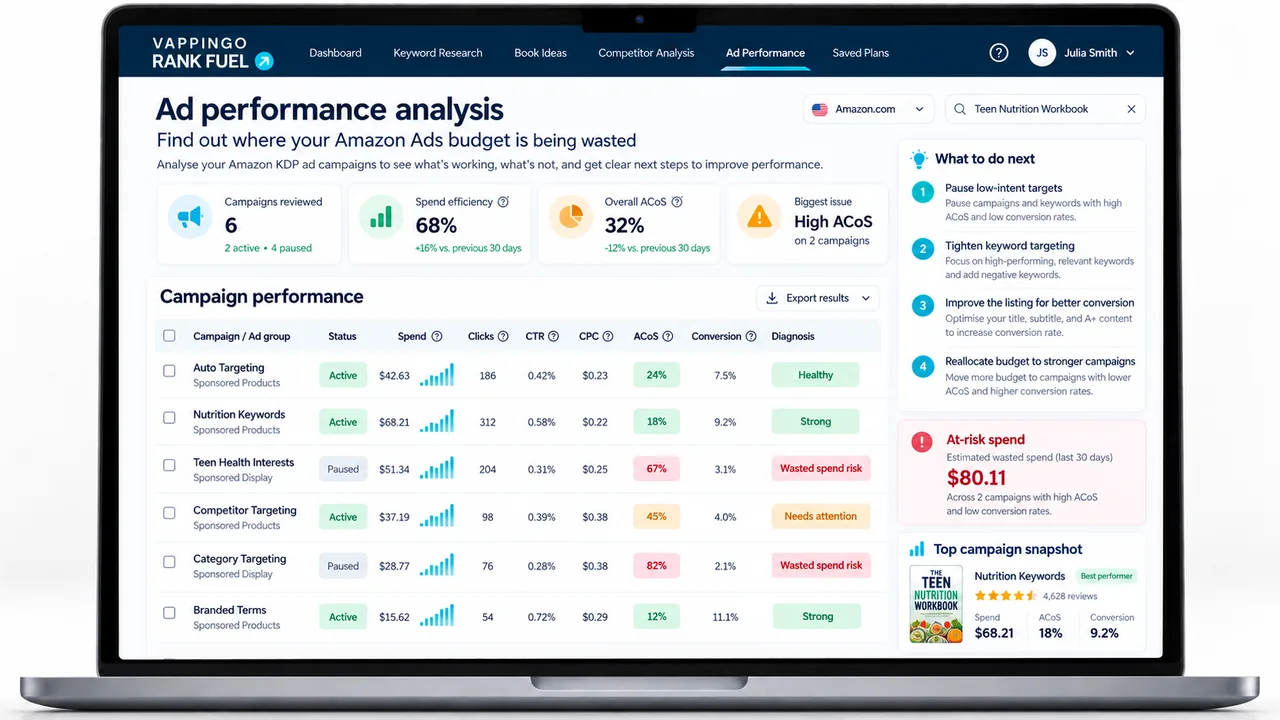
Sponsored Products for KDP Authors: Targeting, Bids, Reports, and Optimization
A detailed guide to Sponsored Products for KDP authors: automatic and manual targeting, bidding, placements, attribution, KENP metrics, reports, and optimization.
Sponsored Products is the core Amazon advertising format for KDP authors and for most it will generate the majority of ad-driven sales across the life of a catalog. Understanding it properly, not just how to create a campaign, but how the auction works, why match types matter, and what structural decisions made on day one determine results six months later, is the foundation of any viable advertising strategy. This article covers the format in full.
What Sponsored Products Are and How They Work
Sponsored Products are cost-per-click ads for individual eligible books. They can appear in relevant shopping results and on book detail pages across Amazon, Kindle, and Goodreads. You choose a daily budget, targeting, and bids; you pay when a shopper clicks, subject to Amazon’s auction and the maximum adjusted bid that applies to the placement.
Amazon says delivery depends on factors including bid and relevance. It does not publish an author-facing “quality score” formula that lets you calculate a hidden multiplier from reviews, click-through rate, or conversion. Treat relevance and listing quality as practical inputs: a well-positioned book can make qualified traffic more valuable, but do not turn that observation into a secret score.
The advertiser’s job is therefore twofold. First, enter relevant auctions at a CPC the book economics can support. Second, make the detail page strong enough that the right shopper wants the book. Sponsored Products can create traffic and evidence; they cannot repair a mismatch between the promise in the ad context and the product page.
The Three Placement Types
Top of search (first page) placements appear above the first organic result. They generate the most impressions, the highest click-through rates, and the highest CPCs. The “Sponsored” label sits above the cover, readers see it and click anyway, because the cover is the dominant visual signal. Top-of-search is the premium position and should be reserved for proven keywords where you have conversion data demonstrating the position’s ROI. Bidding aggressively for top-of-search on untested keywords is the fastest way to run through your budget learning what does not convert.
Rest of search placements appear interspersed among organic results below the fold. Lower CPCs, lower click-through rates, meaningful impressions volume. These placements are productive for building data on new keywords where you are gathering information before committing to premium bids. Expect rest-of-search to run at higher ACoS than top-of-search during the data-gathering phase, this is normal and expected.
Product-page traffic can behave differently from top-of-search traffic, but there is no universal discount or conversion premium. Use the Placement report to compare top of search, rest of search, and product pages for your own campaigns, then apply placement adjustments only where the observed economics justify them.
Placement performance varies by book and genre. Check your Placement Report (under Campaigns in the console) monthly to see performance breakdown by placement type. Some books convert better from product pages than from search; others show the reverse. Apply placement bid modifiers (+X% for top-of-search, for example) only once you have data confirming which placement type performs best for your specific title.
Eligibility and Moderation
Any KDP title available for purchase can run Sponsored Products, including pre-orders, and both KDP Select (Kindle Unlimited) and non-Select titles. There is no minimum catalog size requirement for Sponsored Products; that threshold (three titles) applies only to Sponsored Brands.
Every campaign must pass Amazon’s moderation review before going live. Moderation checks cover: book cover compliance (adult content rules, prohibited imagery), targeting keyword list (no trademarked terms used misleadingly, no competitor brand names in ways that could mislead), and any custom ad copy you have written. Most campaigns pass without issue. Common rejection reasons include cover images with specific font overlays Amazon flags, keyword lists containing competitor ISBNs or trademarked series names, and ad copy making unsubstantiated comparative claims.
Moderation typically takes 24 hours but can extend to 3 business days. Never assume your campaign will run on the day you create it. If moderation fails, Amazon emails the specific reason and you can correct and resubmit, usually within the same day. Build the moderation window into any time-sensitive launch plan.
Setting Up Your First Campaign
Navigate to advertising.amazon.com, select your marketplace, and click Create Campaign > Sponsored Products. The setup involves four key decisions.
Campaign naming. Establish a convention you can read in six months: [BookTitle]-[TargetingType]-[MatchType]-[Date]. “MurderInMarchwood-Auto-Discovery-Mar26” is clear. “Campaign 1” is useless when you have twenty campaigns and need to find the one performing poorly. Good naming costs nothing and saves significant time during optimization.
Daily budget. £5-£10 per day per campaign is appropriate for a first campaign in most book categories, enough to generate meaningful data within 14 days without significant exposure during the learning phase. Adjust after the first cycle: if ACoS is below target and the campaign is hitting its daily cap, increase the budget.
Start and end dates. Leave end date blank unless you have a specific promotional window. Campaigns with end dates stop generating data and accumulating algorithm learning. Running campaigns are more valuable than restarted ones for the same reason a mature plant is more productive than a seedling.
Targeting type. Automatic (Amazon decides what to match) or manual (you specify keywords or products). For a new book, both, in separate campaigns. More detail in the targeting sections below.
Automatic Targeting Explained
In automatic targeting, Amazon reads your book’s title, subtitle, description, backend keywords, and categories and decides what searches and product pages to match your ad to. You set a single default bid and, optionally, separate bids per sub-targeting type. You specify no keywords yourself.
The four automatic sub-types serve distinct functions. Close Match matches searches closely related to your book, the tightest relevance filter and typically the highest-converting sub-type. Loose Match broadens the relevance net to less directly related searches, more impressions, lower average conversion, useful for discovering peripheral audience segments. Substitutes places your ad on the product pages of books that might substitute for yours, readers actively considering a similar purchase. Complements targets books readers might buy alongside yours, adjacent rather than competitive.
Automatic targeting lets you set one default bid or separate bids for close match, loose match, substitutes, and complements. Start from relevance and your tolerance for discovery spend rather than a fixed percentage discount between groups. Once each group has enough evidence, adjust them independently.
The core value of automatic targeting is discovery: it finds search terms you would never have thought to target manually, including genre slang, trope phrases, and comparative author searches your target readers actually use. These terms feed your manual campaign through the harvest-and-scale process. Automatic targeting is a data source and a discovery mechanism, it is not a long-term efficiency strategy on its own. Without active Search Term Report management and negative keyword addition, it will always contain a proportion of wasted spend.
Manual Keyword and Product Targeting
Manual targeting requires you to specify exactly what you want to bid on. There are two sub-types.
Keyword targeting bids on specific search terms with a defined match type. You build the keyword list from research: your automatic campaign’s Search Term Report (after 14+ days), competitor ASIN keyword research via the KDP Rank Fuel by Vappingo Book Keyword Spy tool, Amazon autocomplete suggestions, and genre and trope vocabulary you know your readers use. Seed your manual campaign at launch with your best initial research, then continuously improve it as the automatic campaign generates converting-term data.
Product targeting bids on specific ASINs or entire Amazon browse categories. When you target a specific ASIN, your ad appears on that book’s product page. When you target a category, your ad appears across all books in that category. Product targeting is often the most cost-effective element of a book advertising strategy: it positions your book directly in front of readers already evaluating a comparable purchase, at CPCs that are typically lower than search keyword advertising. A manual product targeting campaign, separate from your keyword campaign, should be part of every author’s advertising structure from the start.
Refresh product and keyword targets when the competitive set, new releases, or campaign evidence gives you a reason. A fixed 60- or 90-day rebuild is not necessary if the current targets are still producing useful traffic. The Search term, Targeting, Advertised product, and Placement reports provide better triggers than the calendar.
Match Types: Exact, Phrase, Broad
Match types control how precisely a reader’s search must match your keyword for your ad to be eligible. Getting this right determines campaign efficiency, using broad match without negatives is expensive; using only exact match limits your discovery.
Exact match triggers your ad when a reader’s search closely matches your keyword, including plurals and minor variations, but not additional words. Keyword “cozy mystery British village” matches “cozy mystery British village” and “cozy mysteries British village” but not “cozy mystery British village series” or “best British village mystery.” Exact match is the most controlled and, for proven terms, the most efficient match type. Use it for keywords confirmed converting in your Search Term Report.
Phrase match requires your keyword to appear within a longer search query in the same order, with additional words allowed before or after. “Cozy mystery British” matches “best cozy mystery British 2026,” “new cozy mystery British author,” and “cozy mystery British series to read.” Phrase match is the practical workhorse for your most important genre terms, broader coverage than exact, far more controlled than broad. Build your manual campaign primarily on phrase and exact match keywords.
Broad match shows your ad for any search containing your keyword terms in any order, including related synonyms Amazon considers relevant. “Cozy mystery” might match “light mystery with no violence,” “amateur detective cozy read,” or “mystery books cozy vibes”, some of which convert, some of which are irrelevant. Broad match generates the most impressions and the most wasted spend without aggressive negative keyword work. It is useful for exploring whether peripheral audience segments respond, but every broad match keyword requires concurrent, active negative keyword management to avoid sustained budget drain.
Separating match types into different campaigns or ad groups can make analysis cleaner, but it is an account-design choice rather than a requirement. The important point is that broad, phrase, and exact match can produce different search-query mixes and deserve target-level reporting and bids that reflect their own performance.
Bidding Strategies in Detail
Sponsored Products currently offers fixed bids, dynamic bids – down only, and dynamic bids – up and down. With fixed bids, Amazon uses the bid you set subject to any placement adjustments. With down only, Amazon can reduce the bid when a conversion appears less likely. With up and down, Amazon can raise or lower the bid in real time; current author guidance describes increases of up to 100% for top-of-first-page opportunities and up to 50% for other placements.
None of these strategies is automatically “best for beginners.” Down only is a conservative starting point when you want Amazon to reduce exposure in weaker contexts, while fixed bids can make a controlled test easier to read. Up and down can be useful when a mature target has enough margin to tolerate more expensive opportunities. Choose from the job of the campaign and the economics, then compare the result rather than relying on a universal maturity rule.
Placement adjustments add another layer. Amazon exposes top of search, rest of search, and product pages, and current placement controls can allow substantial bid increases. Because bidding strategy and placement adjustment can combine, calculate the maximum possible bid before applying an aggressive modifier. Use the Placement report to decide whether paying more for a placement is supported by your own conversion and reader-value evidence.
Campaign Structure for Clean Data
The single most consequential structural decision is whether to separate targeting types into distinct campaigns. Mixing automatic and manual targeting in one campaign makes the data uninterpretable, you cannot tell which type generated which search terms, cannot apply different bid strategies, and cannot adjust budget allocation between the two. Separate from the start; the complexity pays off immediately in cleaner optimization decisions.
For a new book, run three campaigns simultaneously: Auto discovery campaign. Automatic targeting, dynamic down only, £5-£10/day. Review Search Term Report weekly. Add converting terms to manual, add non-converters as negatives. Run indefinitely, this is your perpetual discovery engine.
Manual keywords campaign. Start with your best initial keyword research in exact and phrase match. Add an ad group for broad match keywords separately if you want to test broader discovery. Dynamic down only or fixed bids. £5-£10/day. This campaign’s keyword list grows every week as the auto campaign reveals new converters.
Manual product targeting campaign. Target 20-30 comparable book ASINs plus 2-3 relevant browse categories. Fixed bids initially. £3-£8/day. Review monthly, refresh the ASIN list, pause non-converting targets, add new comparable titles.
Attribution Windows and KU Reads
For author advertisers, Amazon Ads currently uses a 14-day click-attribution window for sponsored ads. That means purchases and eligible KENP reading can continue to be attributed after the click, so the most recent days in a report may still be incomplete. Use mature date ranges when judging borderline targets, and distinguish attribution lag from genuine underperformance.
For Kindle Unlimited authors, KENP reads are not counted in the “Orders” column of your ad console. A reader who clicks your Sponsored Products ad and borrows your book generates page reads tracked in your KDP dashboard, not ad revenue in the advertising console. Your true revenue per ad click is higher than your ACoS calculation suggests if your KU readthrough rate is meaningful. Estimate your effective KU revenue per click (average page reads per borrower × KENP rate ÷ average CPC) and incorporate it into your actual profitability assessment. Treating KENP revenue as invisible makes your campaigns look unprofitable when they may in fact be profitable.
The Harvest-and-Scale Process
“Harvesting” is useful shorthand for turning discovery evidence into more deliberate targeting, but it should not become a mechanical rule. Review the Search term report and matched-product evidence over a date range that allows the 14-day author attribution window to mature. Look for queries or products that are relevant, repeatedly attract useful traffic, and have economics that justify more control.
A strong search term can be added as an exact target in a manual campaign so its bid and performance can be managed directly. You do not always need to negate the same term in the discovery campaign immediately. Leaving some overlap can preserve discovery and delivery; excluding it can make sense when you want cleaner routing or when the discovery campaign is competing for budget you would rather direct elsewhere. Treat the negative as an account-design choice, not a rule designed to prevent a mythical “auction against yourself.”
Likewise, do not pause or negate a search simply because it has reached a fixed order count, click count, or multiple of one royalty. Compare spend with the expected value of a conversion, relevance, attribution maturity, KU or series value where genuinely applicable, and the cost of gathering more evidence. The cycle improves the account when each action has a reason you can explain.
Negative Keywords
Negative keywords prevent your ad from appearing for specific search terms. They are among the highest-ROI actions in campaign management, a single well-placed negative keyword can redirect more budget to productive searches than hours of bid optimization.
Types: Negative exact blocks a search only when it precisely matches the term. Negative phrase blocks any search containing that phrase in any position. For most purposes, negative exact is the safer choice, it prevents blocking of related but potentially converting searches. Use negative phrase only for categories of clearly irrelevant traffic where you are confident no search containing that phrase would ever convert.
Build your negative list from three sources: the Search Term Report (non-converting spend), logical audience mismatch (a children’s mystery author seeing adult thriller search terms), and competitor brand names where you do not want to appear (targeting a competitor’s product pages directly via product targeting is fine; showing up in searches for that competitor’s brand name is usually poor targeting).
Add negatives at the campaign level for your auto campaign (they apply across all placements). In larger manual campaigns with distinct ad groups, ad group-level negatives give more surgical control, preventing a specific ad group from showing for a term without blocking the entire campaign.
Key Reports
The Search term report is the discovery report: it shows shopper search terms associated with at least one ad click and can include an inferred term for certain non-search contexts. Use it to find useful exact targets, identify irrelevant traffic, and understand what Amazon is actually matching to your targeting.
The Campaign and targeting views tell you where spend, clicks, attributed orders, KENP where eligible, and ACoS are accumulating. The Placement report separates top of search, rest of search, and product-page performance so you can judge whether a placement adjustment has economic support. A hypothetical example can be useful: if one placement repeatedly converts at a materially lower acquisition cost than another, that is evidence to test different placement bids, not proof that the cheaper placement always wins for books.
Amazon’s unified reporting, generally available in 2026, makes longer comparisons across campaigns, products, accounts, and countries easier and is replacing older Sponsored Ads report workflows. Keep your own change log alongside the reports. A long-running campaign does not need a rebuild because it crossed an arbitrary age; rebuild when the structure prevents clean decisions or the evidence shows that incremental changes are no longer solving the problem.
Structural Mistakes to Avoid
Building a structure you cannot read. Separate campaigns or ad groups when different targeting types, books, or objectives require different bids and decisions. A compact structure is perfectly acceptable if the reporting still answers the questions you need.
Choosing bidding strategy by rule of thumb. Dynamic down only, fixed bids, and up-and-down each have legitimate uses. Start with a strategy you understand, calculate the maximum bid exposure including placement adjustments, and change strategy when evidence supports the change rather than because a tutorial says every new campaign must use one setting.
Ignoring attribution and KU context. Author attribution runs for 14 days, and eligible KDP advertisers can see KENP Read and estimated KENP Royalties for the advertised title. Recent data can therefore be incomplete. Use mature windows for borderline decisions without using attribution lag as an excuse for clearly irrelevant spend.
Using fixed pause thresholds. The evidence required depends on CPC, royalty, relevance, conversion, and expected downstream reader value. Amazon does recommend considering negative targeting after a target has accumulated enough evidence, including guidance around 20 clicks, but a clearly irrelevant query can be excluded sooner and a highly relevant low-cost target may deserve more observation.
A Practical Sponsored Products Audit
When a Sponsored Products campaign is weak, diagnose it in order. First check eligibility and delivery: is the advertised format active, available, and clearing moderation? Next check targeting relevance: are the search terms or matched products plausible readers for the book? Then check the economics: what CPC is the campaign paying and what royalty or KENP value can a conversion support? Finally check the detail page: is qualified traffic clicking but failing to buy?
This order matters because each problem has a different fix. A low-impression campaign may need more competitive bids or broader relevant targets. A high-click, low-conversion campaign may need a stronger cover, description, price, sample, or better audience fit. A campaign with good conversion but poor ACoS can be a CPC problem. Treating every symptom as a bidding problem is how accounts become progressively cheaper and progressively smaller without becoming better.
Turn the article into a repeatable Amazon Ads workflow
KDP Rank Fuel’s current Amazon Ads Generator builds a guided five-campaign Sponsored Products plan, while Amazon Ads Weekly Coach helps turn exported reports into clearer recurring decisions. Use the tools as decision support and keep the live Amazon Ads console as the authority on eligibility, settings, and final changes.
Frequently Asked Questions
Where can Sponsored Products for books appear?
Amazon says author Sponsored Products may appear in relevant shopping results and on book detail pages across Amazon, Kindle, and Goodreads.
What are the four automatic targeting groups?
Close match, loose match, substitutes, and complements. You can use a default bid or manage bids by targeting group.
What is the author attribution window?
Current Amazon Ads documentation uses a 14-day click-attribution window for authors. Eligible KENP Read and estimated KENP Royalties can also be attributed after ad clicks.
Should I separate broad, phrase, and exact match?
Separating them can make reporting and bidding cleaner, but it is an account-design choice. What matters is being able to read each target and match type clearly enough to make a decision.
How often should I optimize?
Amazon author guidance encourages regular reviews, often around a two-week rhythm. Fix obvious errors sooner, but give borderline targets enough time and traffic for attribution to mature.
Make Sponsored Products Your Learning Engine
Sponsored Products can stay simple for a long time. Use automatic and manual targeting to learn, keep the account readable, protect the budget from clear mismatch, and scale only the searches and product contexts that repeatedly prove their value.