KDP Category Mistakes: 10 Errors That Hurt Discoverability
A current guide to the most common KDP category mistakes, including inaccurate shelves, over-optimization, stale advice, poor measurement, and format or marketplace assumptions.
Category errors can hide for a long time because the book still publishes and still has a product page. The damage is usually indirect: weaker discovery, poor reader fit, misleading analysis, or a tendency to optimize around ranking myths rather than the book’s actual market.
This guide updates the most common mistakes for KDP’s current category system. It removes pre-2023 support-request tactics, fixed sales thresholds, and assumptions that every category path or rank behaves in a predictable way.
Mistake 1: Choosing a Category Because It Looks Easy
Low apparent competition is not a reason for a book to be on a shelf. KDP requires accurate categories, and a mismatched shelf can attract shoppers who do not want the book even if the numerical category rank looks impressive.
Fix the problem by scoring relevance before competition. Only compare difficulty among categories that genuinely describe the book’s central genre, subject, audience, or use case.
Mistake 2: Treating Specificity as Automatically Better
A more specific category can improve context, but only when the narrower label remains true. Authors sometimes descend into an attractive subcategory because it has fewer books, even though the defining trope, profession, period, or audience is only incidental.
Use the most specific useful category that a typical reader would accept without explanation. If the book needs a paragraph of justification, the shelf is probably too narrow.
Mistake 3: Copying Competitor Categories Blindly
Competitors are research inputs, not templates. Their visible category ranks may reflect Amazon’s broader shelving, older metadata, different formats, different marketplaces, or choices that are themselves weak.
Use competitor pages to understand audience context, then return to the live KDP selector and the manuscript. Your categories should be defensible from your own book, not inherited from someone else’s product page.
Mistake 4: Using Fixed BSR or Sales Thresholds as Rules
A common worksheet error is to say that a category is viable only when the number-ten book has a particular BSR, or that a fixed number of daily sales guarantees a badge. Amazon does not publish those universal conversions.
Amazon says category rank is based on customer activity relative to other books and uses recent and historical activity. That makes competition estimates useful but inherently approximate. Use Amazon’s ranking guidance as the factual baseline.
Mistake 5: Assuming Category Rank Equals Category Selection
KDP lets you select up to three categories, but Amazon says a book can be ranked in up to three Best Seller Category lists regardless of how many categories the book may feature within. The ranks visible on the detail page are therefore not a simple audit trail of the three fields you chose.
Save your submitted categories separately. When reviewing performance, distinguish the metadata you control from the category ranks Amazon chooses to display.
Mistake 6: Ignoring Format and Marketplace Differences
Amazon warns that categories can differ by format and marketplace. Copying a US Kindle category plan directly to a UK paperback or Japanese eBook can produce unavailable options or weaker reader fit.
Review each important edition in its own store. Keep the underlying positioning consistent, but allow the exact category labels to differ when the retailer taxonomy differs.
Mistake 7: Following Pre-2023 Additional-Category Advice
Older tutorials often recommend contacting KDP Support with a list of extra browse paths. That is no longer the normal category-selection workflow; authors now choose their categories directly in KDP.
Spend that effort on the three current selections, supporting keywords, and the overall metadata package. If Amazon features the book in additional categories, treat that as Amazon-controlled shelving rather than a manual entitlement.
Mistake 8: Changing Too Many Things at Once
When categories, keywords, description, price, ads, and cover are changed together, any subsequent improvement becomes impossible to attribute. That may be acceptable during a full repositioning, but it is poor experimental design when you are trying to learn whether a category change helped.
Create a baseline, change one meaningful category when practical, wait for the processing window, and then watch a trend. The point is not perfect scientific attribution; it is avoiding avoidable confusion.
Mistake 9: Diagnosing the Update Too Early
KDP says new category placements can take up to 72 hours to display. Checking after a few hours and immediately editing again can create a chain of overlapping updates that never receives a fair test.
Record the submission time and wait. Once the processing window has passed, verify the live detail page and only then decide whether a technical problem exists.
Mistake 10: Never Revisiting an Old Book
The opposite error is to treat category selection as permanent. Amazon updates category options, books change position in the market, new editions appear, and reader feedback can reveal a better description of what the book actually delivers.
Review mature titles when there is a reason: taxonomy change, major performance change, repositioning, new format, or an obviously stronger category. A review does not require a change; often the correct decision is to document that the existing categories still fit.
Compound Errors: When Several Small Mistakes Reinforce One Another
Category problems become more damaging when they stack. An author may choose an only loosely relevant shelf because it looks easy, copy the same choice across every format and marketplace, and then change keywords at the same time as categories when the book fails to move. Each decision makes the next diagnosis harder.
Another common compound error is pairing a broad category with a weak listing. The author sees poor category rank and assumes the shelf is the problem, but the cover and description are not converting the traffic the book already receives. Moving to a smaller category produces a better rank number while the underlying commercial problem remains.
Break compound problems apart in order. Correct reader-fit and policy issues first, verify the listing is coherent, then review category competition, and only after that run controlled updates. This sequence keeps a category optimization project from becoming a substitute for fixing the book’s real bottleneck.
A Practical Correction Process
When an audit finds several weak categories, write down the current state before editing. Capture the submitted categories, visible category ranks, overall BSR, recent units, KENP where relevant, price, advertising activity, and any promotion that could distort the same period.
Prioritize the corrections by severity. Remove genuinely inaccurate or misleading categories first, then replace unavailable or poor-fit choices, then address format and marketplace mismatches, and finally compare competition among the accurate alternatives.
- Create a baseline and save screenshots or notes.
- Choose the highest-priority category problem.
- Select a replacement that is accurate and available now.
- Submit the update and record the date.
- Allow up to 72 hours for KDP’s category change to display.
- Observe a trend instead of judging one rank movement.
- Document the result before making the next change.
If the book is undergoing a full repositioning, it can be reasonable to change several fields together. Just label the project honestly as a repositioning rather than pretending the result proves a single category caused the improvement.
When the Category Is Not the Real Problem
A book can sit in perfectly accurate categories and still sell poorly. If impressions are low everywhere, the market or traffic problem may be larger than category selection. If shoppers click but do not buy, the cover, price, description, reviews, sample, or product-market fit deserves attention.
This matters because category work is psychologically attractive: it is easy to edit and feels measurable. By comparison, revising a cover or reconsidering the book’s positioning is harder. Do not use metadata adjustments to avoid a more consequential diagnosis.
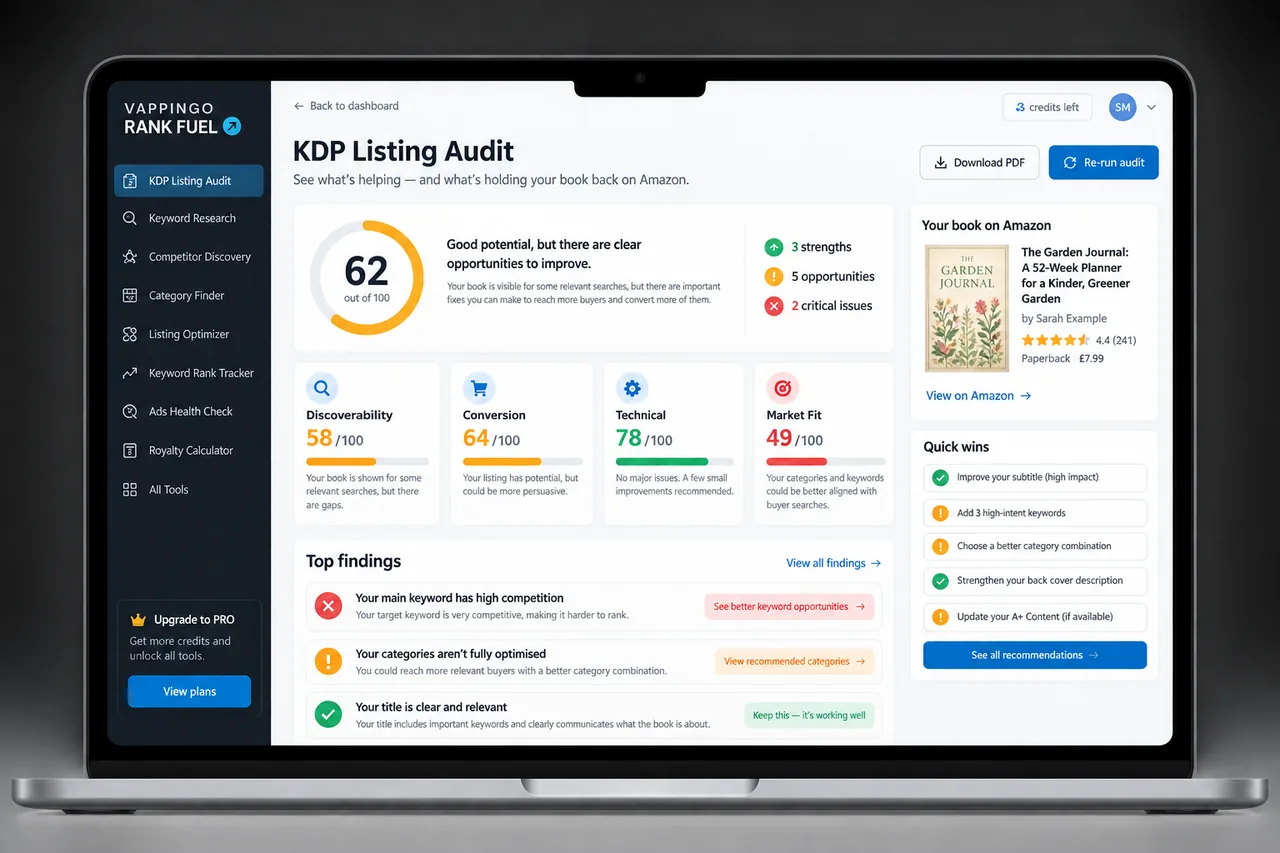
Use Vappingo’s broader book-sales diagnosis guide or a listing audit when the evidence points beyond category discovery. The right fix is the one that addresses the stage where the customer journey is actually breaking.
Create a Category Decision Log
For every future category decision, record the date, the exact KDP category selected, the reason it fits the reader, the alternative you rejected, and the evidence you plan to watch. This lightweight log prevents the same mistakes from returning six months later and makes backlist maintenance far faster because the history of each choice is visible.
The log also helps when Amazon changes its taxonomy. You can identify which books were selected for a disappearing shelf, review the original rationale, and choose the closest current category without rebuilding the entire strategy from scratch.
How to Prioritize Fixes
Fix accuracy problems first because they affect reader expectation and policy risk. Next fix unavailable or clearly irrelevant categories, then format or marketplace mismatches, and only after that optimize competition among the remaining accurate options.
- Correct misleading or unsupported categories.
- Replace unavailable category options.
- Align format and marketplace choices.
- Remove weak or redundant discovery routes.
- Compare competition among the accurate survivors.
- Create a baseline before further testing.
This order prevents optimization from amplifying a bad premise. There is little value in finding the easiest version of the wrong shelf.
Frequently Asked Questions
What is the biggest KDP category mistake?
Choosing a category that does not accurately describe the book. Relevance and customer experience come before competitive optimization.
Can KDP change an inaccurate category?
Yes. KDP says it reviews category updates and can change placements when categorization is inaccurate.
How many categories can I choose?
KDP currently lets authors select up to three categories.
How long should I wait after a category update?
KDP says new placements can take up to 72 hours to display.
Is a better category rank always a better business result?
No. A smaller category can produce a flattering rank without meaningful sales or reader fit. Evaluate rank alongside sales, conversion, and relevance.
Should every backlist book get regular category changes?
No. Review periodically or when evidence changes, but leave accurate working categories alone.
Fix the Category Logic Before You Optimize the Number
Most category mistakes are logic mistakes before they are technical mistakes. The author starts with the wrong goal, such as finding the easiest rank, copying a competitor, or creating constant movement, and then uses data to justify it.
Reverse the order. Start with the reader and the manuscript, confirm the live taxonomy, choose accurate categories, and then use competition and performance data to refine the decision.